
Jailbreak Tool Guides
Dopamine RootHide Jailbreak
Dopamine RootHide jailbreak guide

Official address:https://github.com/roothide/Dopamine-roothideCopy
Support equipment and systems:
iOS15 - 16.5 All equipment
iOS16.5.1 (iPhoneXR - iPhone12 series equipment)
IOS16.5.1 - 16.6.1 (iPhone8 - iPhoneX)
jailbreak, please make sure the device is not unlocked and please turn off my iPhone to prevent all accidents.
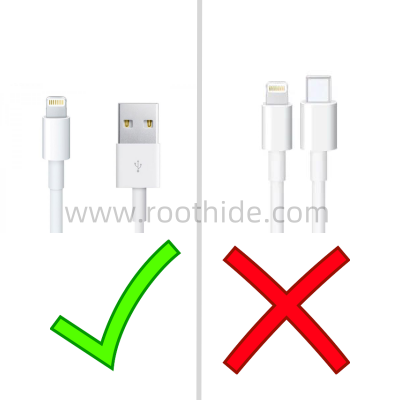
Use USB-A (the old apple data line) for jailbreak, and USB-C cannot jailbreak.
The text contains the following (clickable links jump to corresponding content):
2、jailbreak guide
Dopamine RootHidejailbreak guide
3 and jailbreak
Install necessary dependency packages
jailbreak tool download:
Here's the relevant download links:Dopamine Roothide jailbreak tool Download
2, jailbreak guide:
If the device is an iOS16 system, you need to turn on the developers' mode. --->"iOS16 Starts the Developer Model"
See here first for equipment not installed at TrollStore...TrollStore Installation Academy
TrollStore Install Dopamine Rothide
An example is the iPhone 12 iOS 16.1.2 installation of Dopamine Roothide 2.2.2.17 stabilization version.
A downloaded Dopamine Roothide Tipa installation package is transmitted to a mobile phone, using a file management tool, as in the case of the ES file browser:
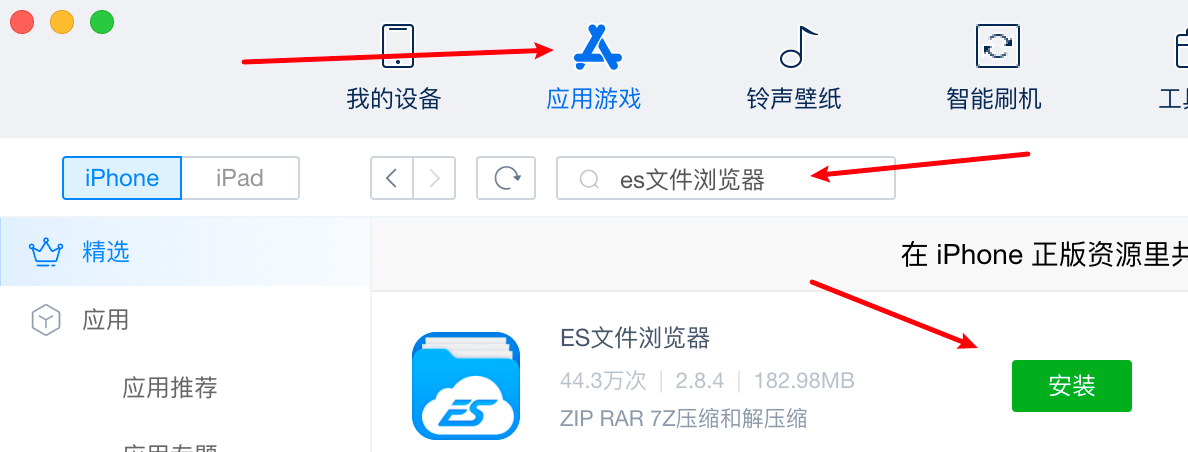
Open the Associator, click Apply Game, search the ES file browser, click installation
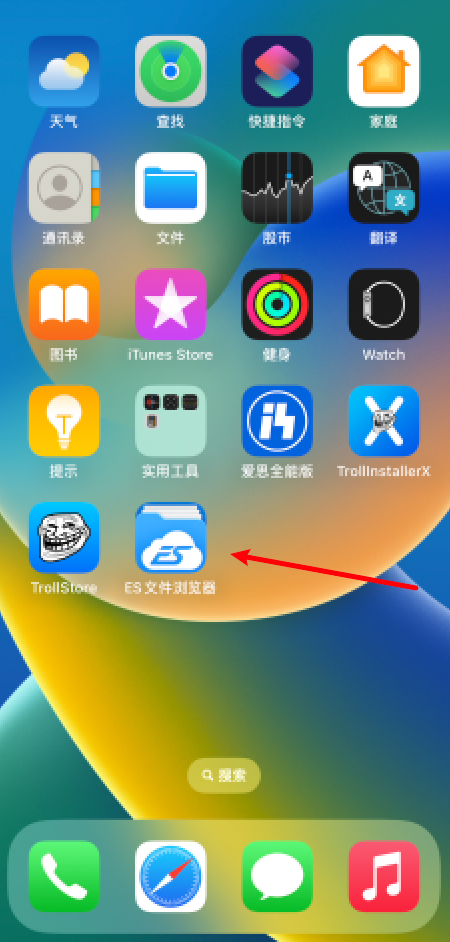
Open the ES file browser first on the phone
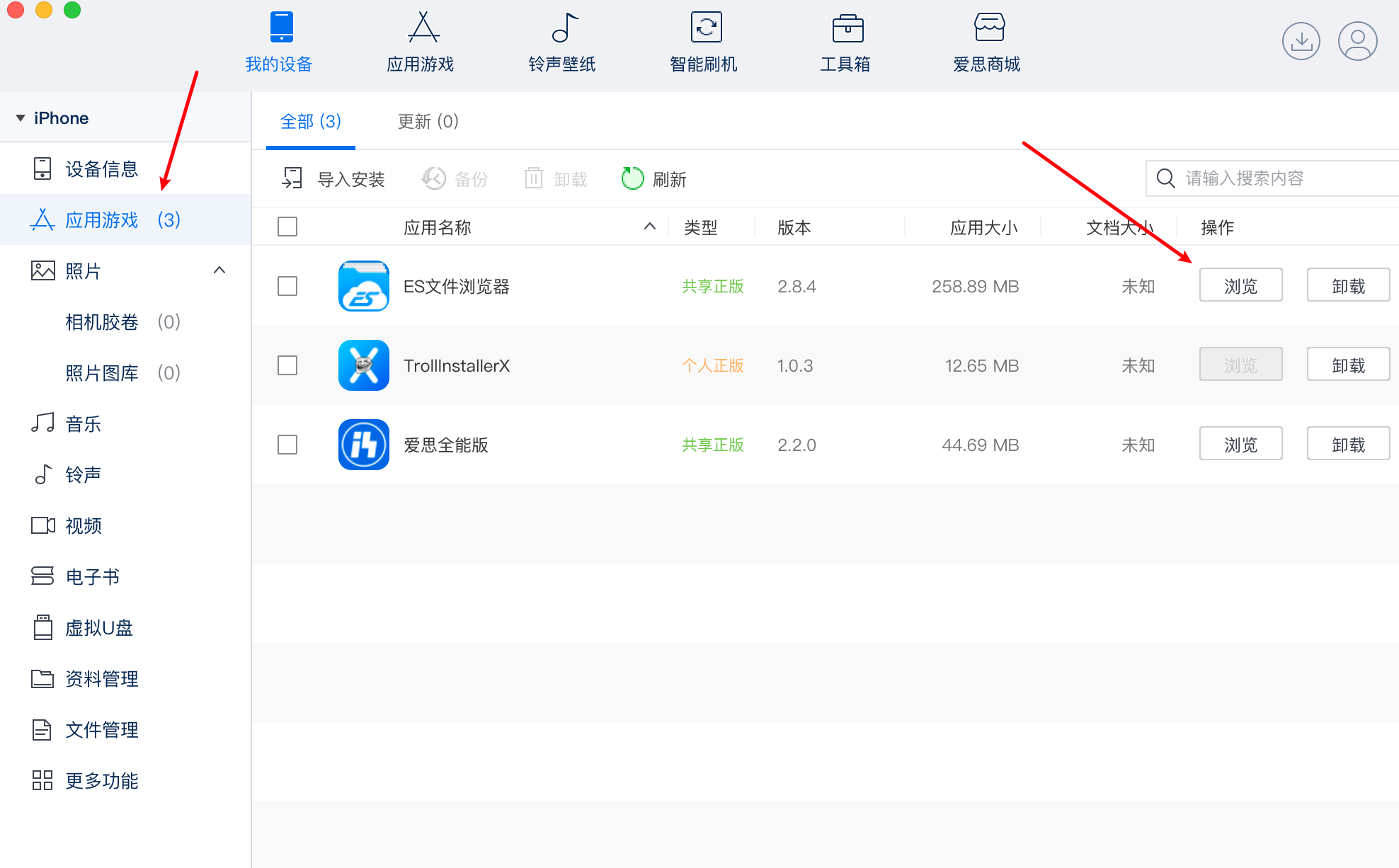
Open the Associator, click the application game on the sidebar, click the Browse button on the ES file browser
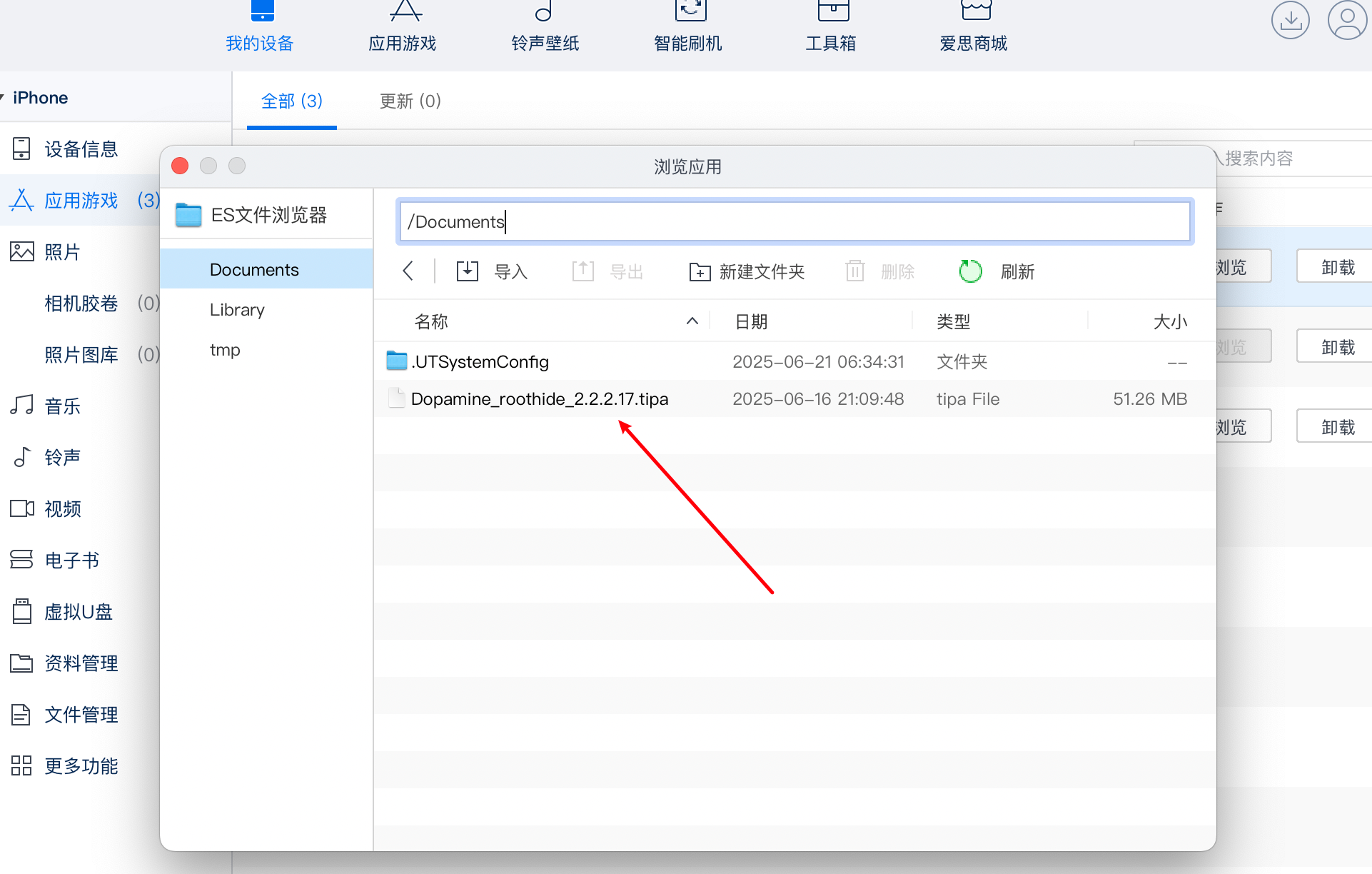
It'll be downloaded.Dopamine Roothide 2.2.2.17 Stable Tipa Package to the /Documents/ Path of the ES File Browser
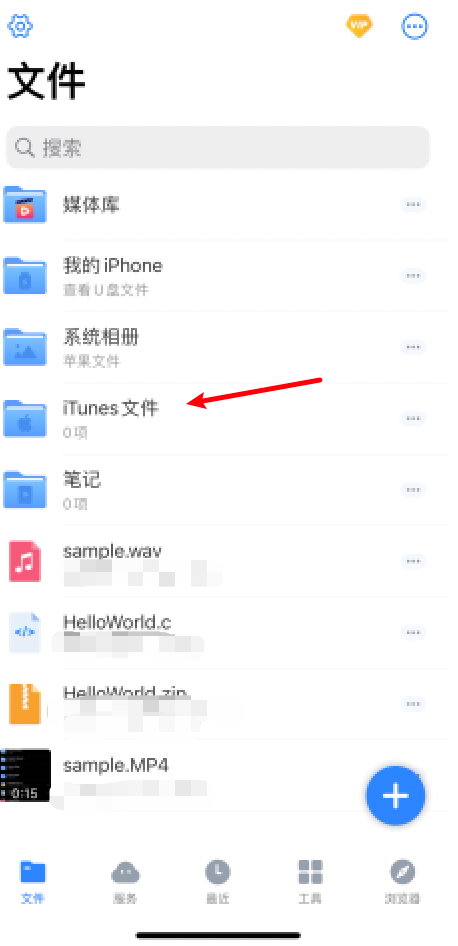
Open the iTunes file for the ES file browser on the phone
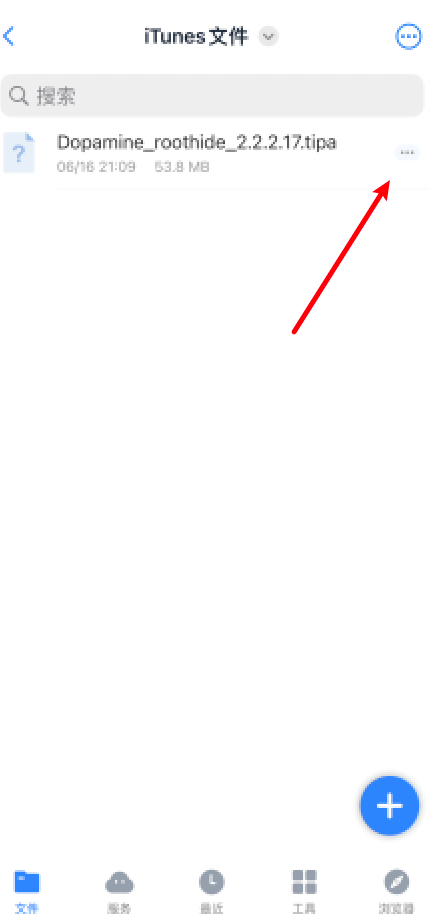
Click three small points on the right
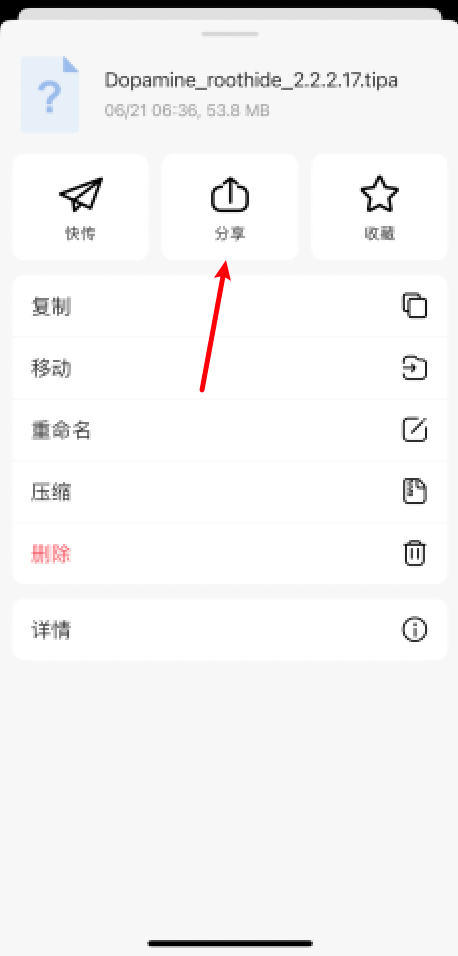
Click Sharing
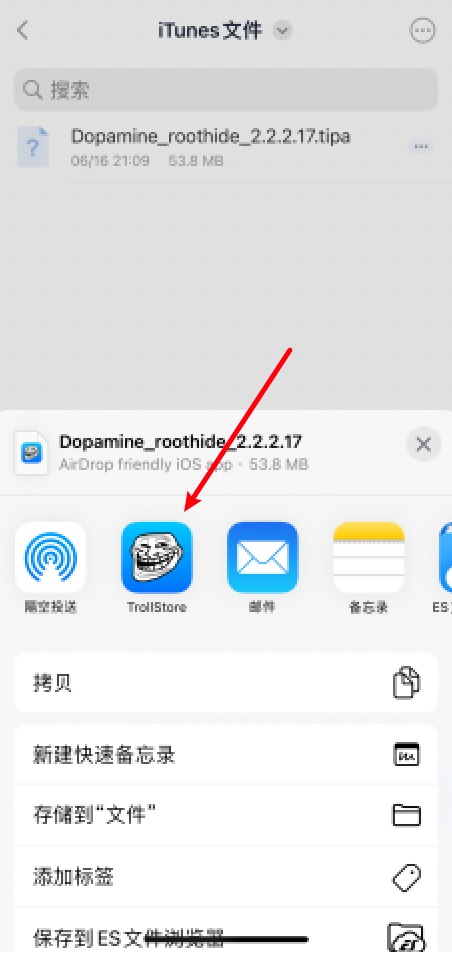
Select TrollStore if there are too many menus on the right Find
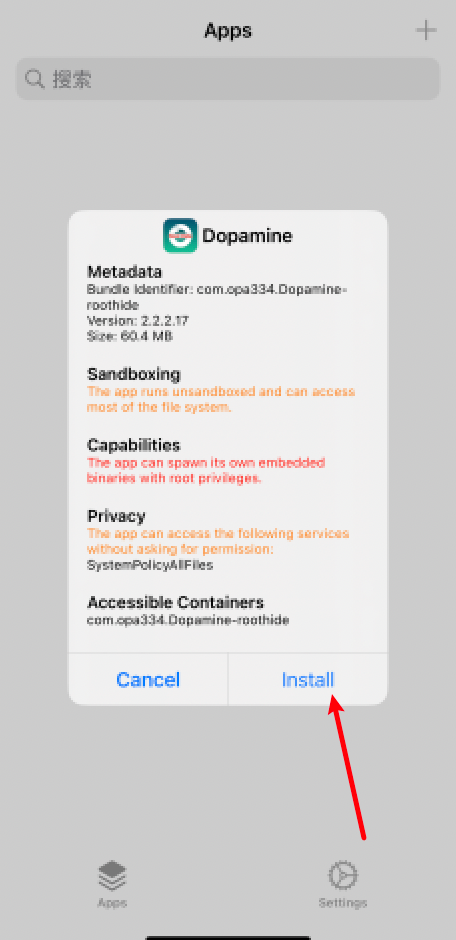
Jump to TrollStore Post Popup Installer menu, click Install
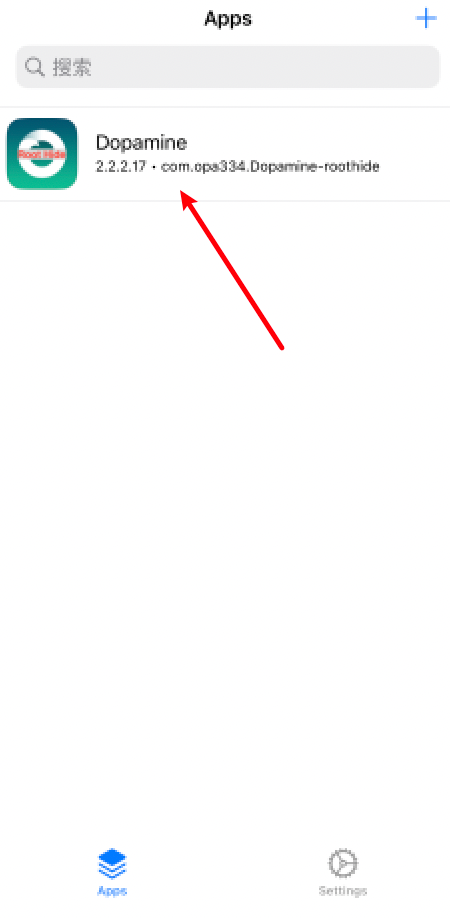
Here, Dopaminine Roothide is installed, and once installed, the equipment is restarted, otherwise jailbreak will fail.
Dopamine Roothide jailbreak guide
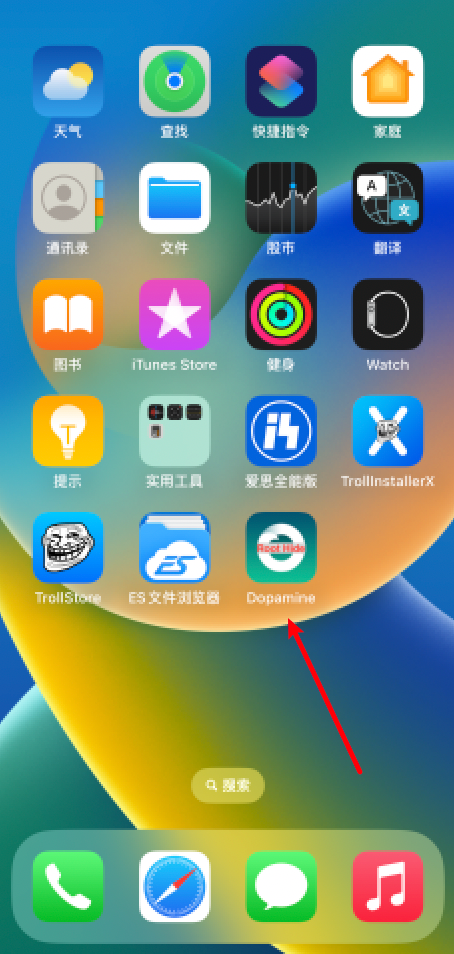
Open Dopamine Roothide icon
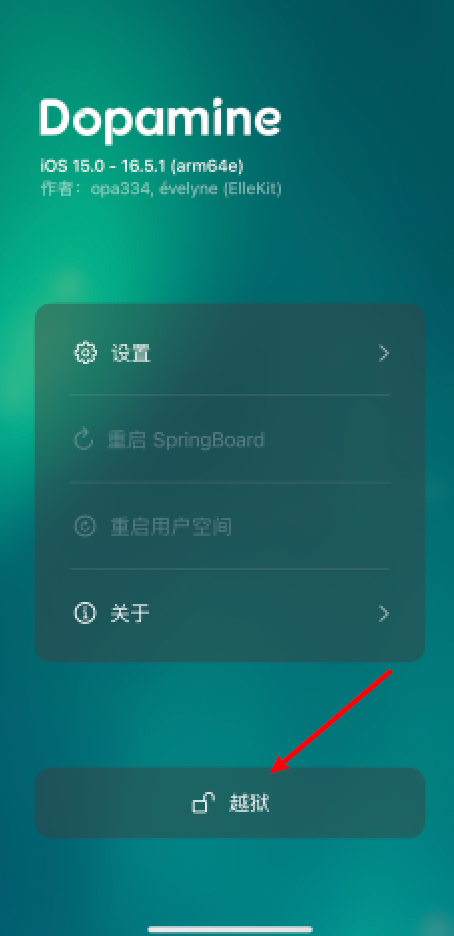
Click jailbreak
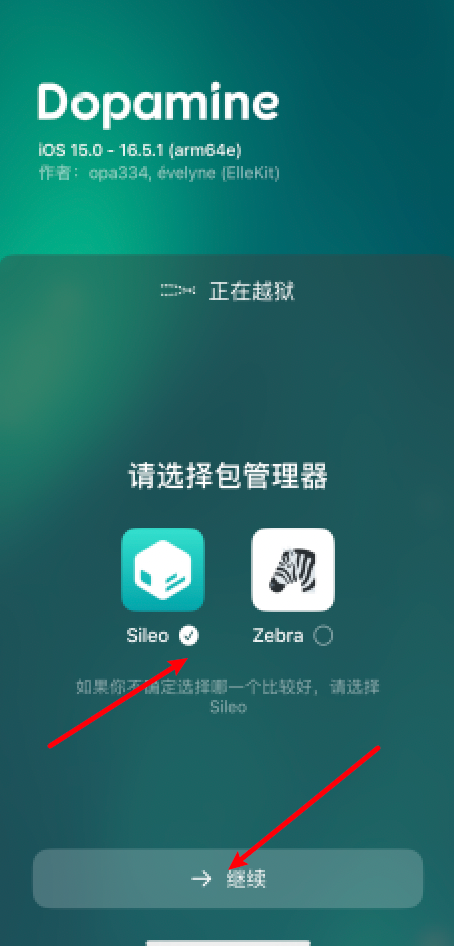
Check Sileo, click Continue
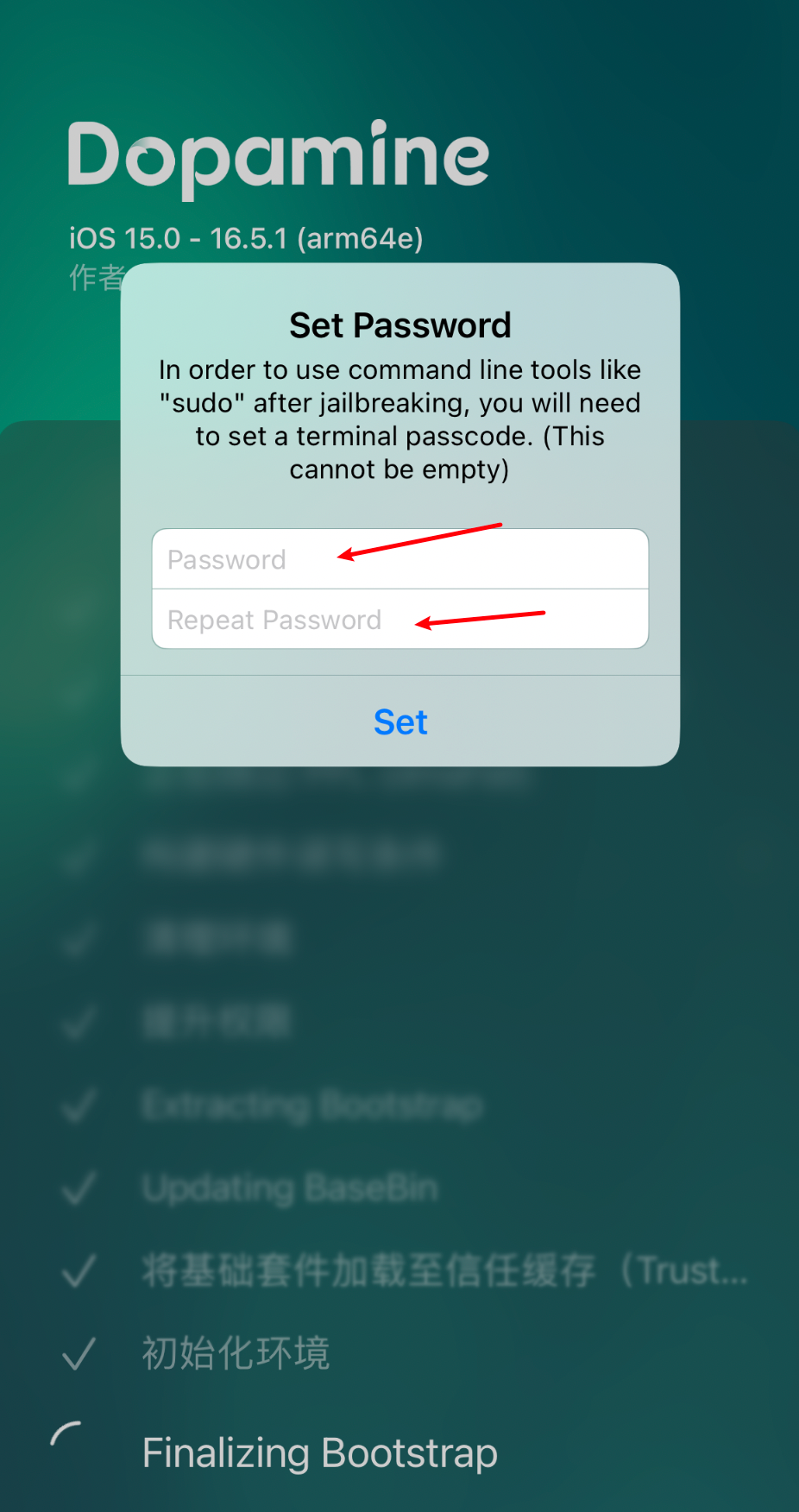
jailbreak has a probability of failure and can be tried over and over again. jailbreak can not be restarted and jailbreak will pop up with a password option. Just fill in two characters (e.g., both six) and then it should probably not be necessary.
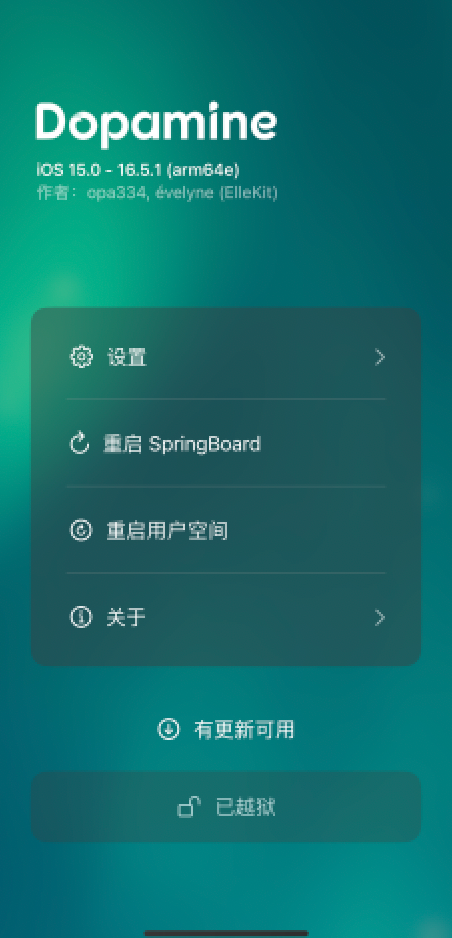
After setting the password, the device automatically cancels the black screen, waiting for a moment to restart, and jailbreak succeeds, opening Dopamine Roothide to see jailbreak tips.
Notes:
(1) This jailbreak is an imperfect jailbreak, which must be redirected to jailbreak by Dopamine Rothide each time the device is restarted;
(2) Installed with Giant AssistantThe Dopamine Roothide application does not have problems with expired certificates, so follow-up does not fade.
Install necessary dependency packages
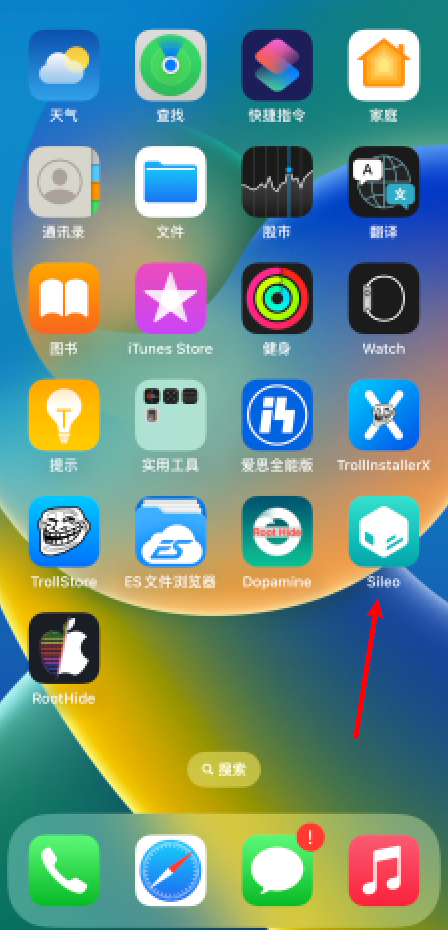
First thing after jailbreak, install the necessary relying package and open Sileo first.
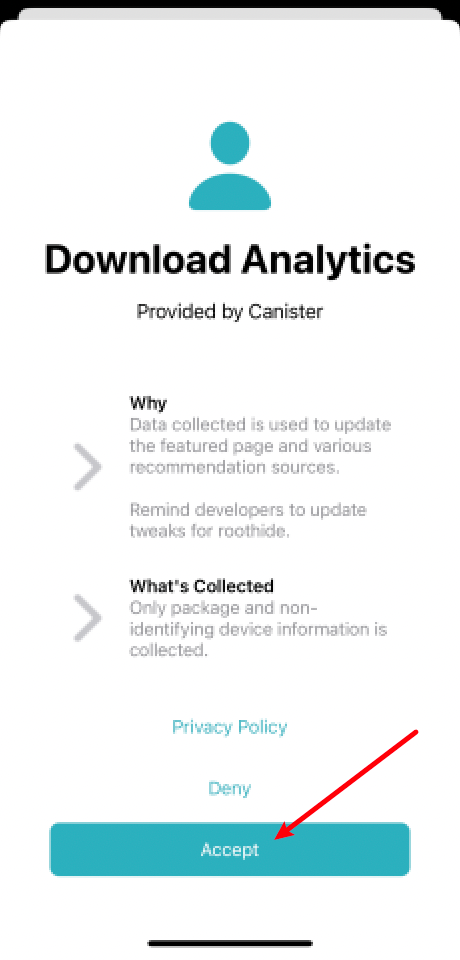
Click Accept
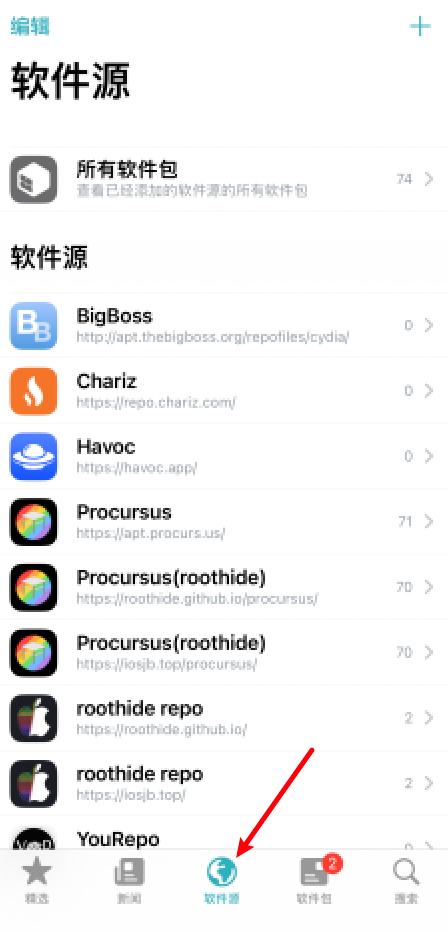
Click repository to pull down the screen and wait for refreshing
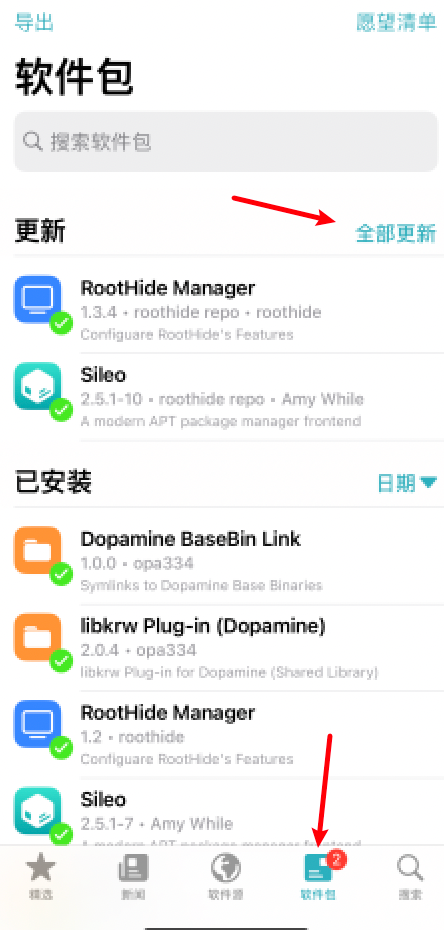
Click on packages, click on Update All
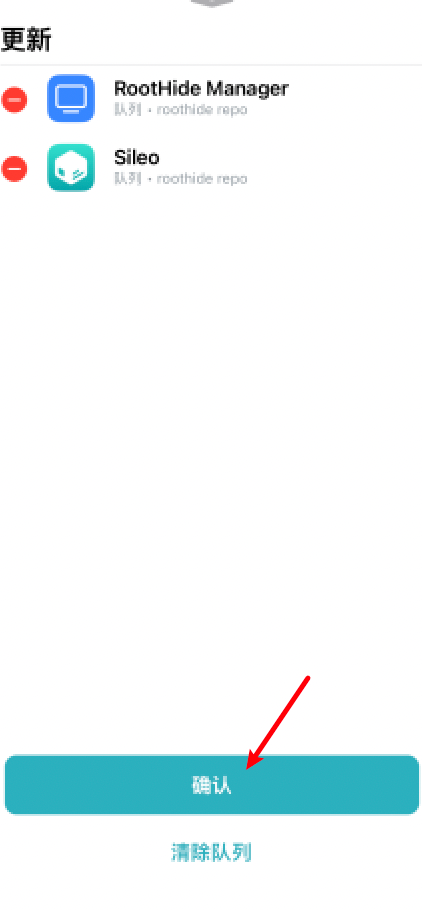
Click to confirm
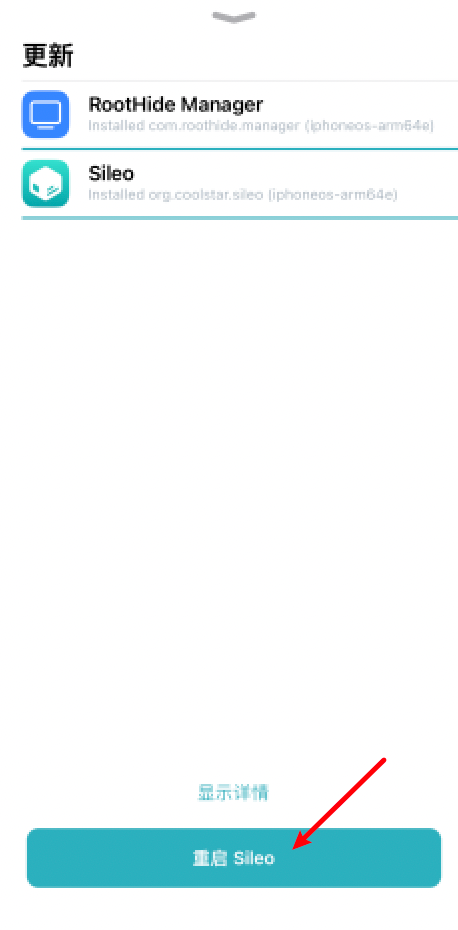
Click to restart Sileo after download is finished
tweak for installation
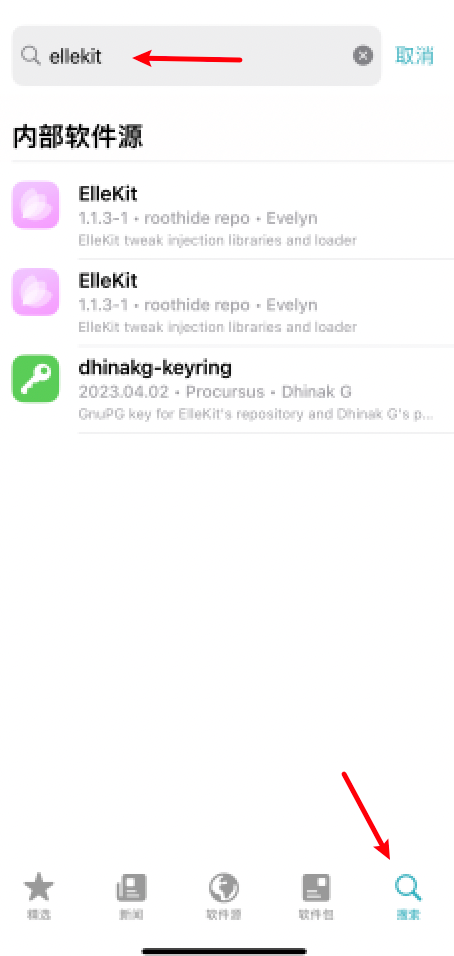
Reopen Sileo, click on the bottom right, enter ellekit above, search
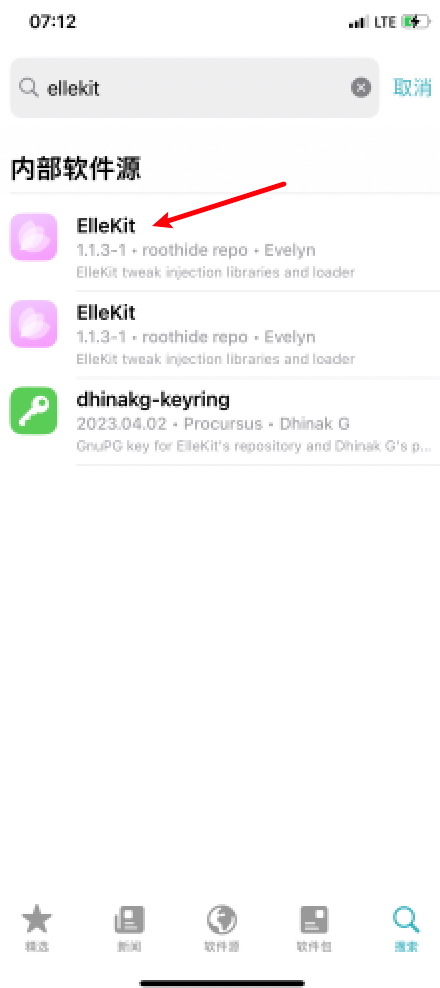
Select First
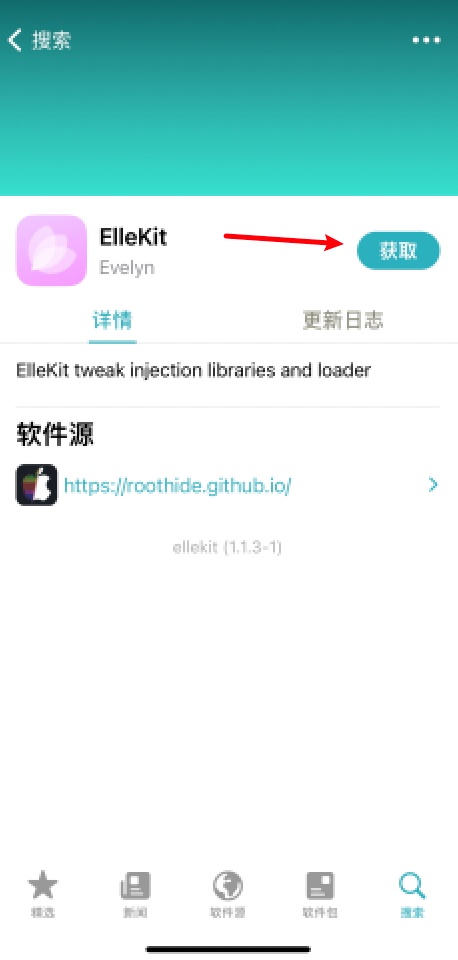
Click to get
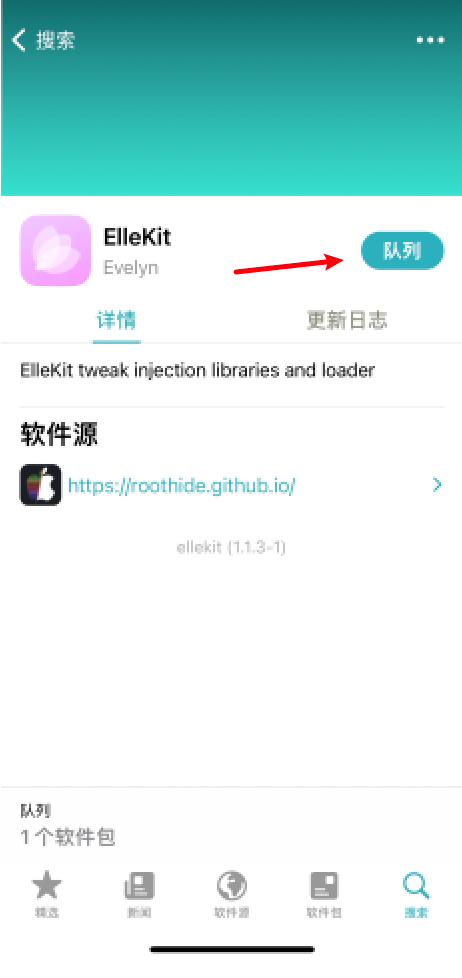
Click Queue
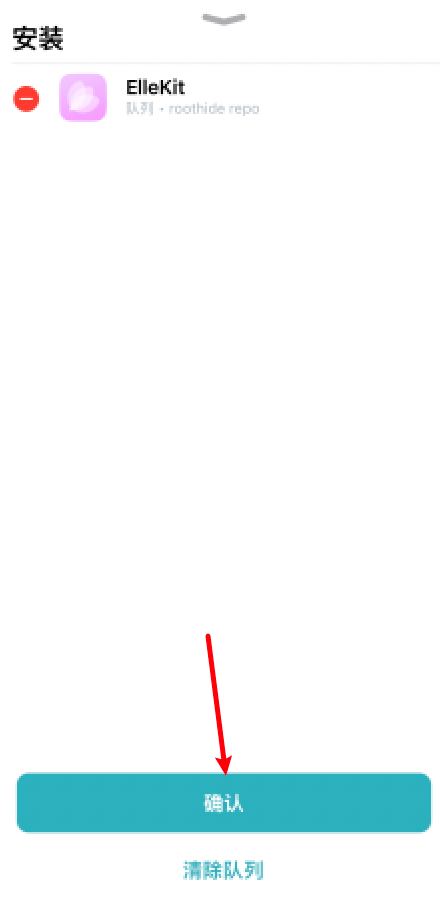
Click to confirm
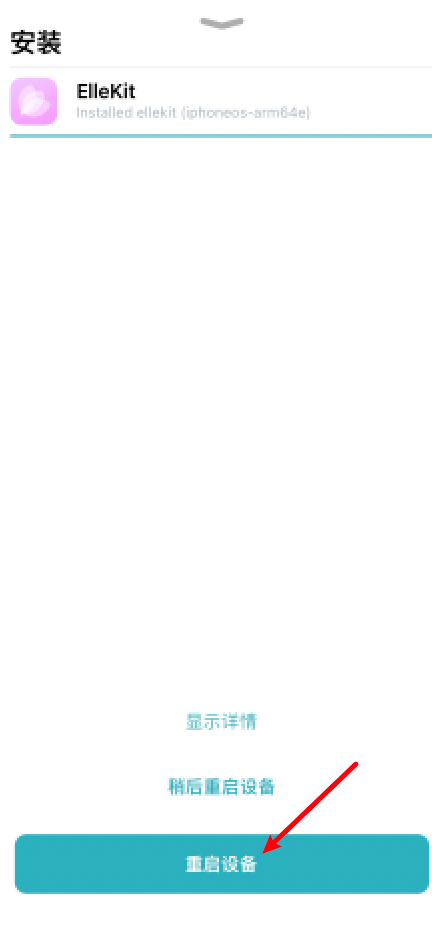
After the download installation has been completed, click to restart the device and then use the jailbreak features.
How to Remove jailbreak
Focus tip: After removing jailbreak, clean up the jbroot random path of everything!
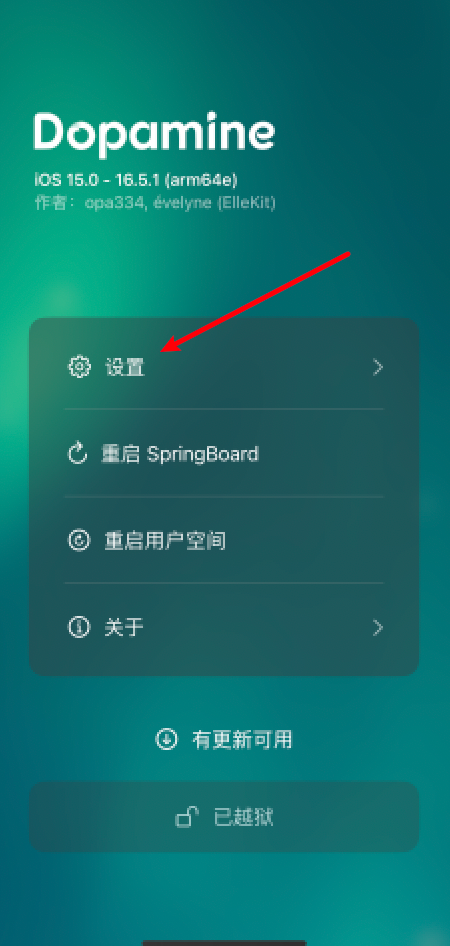
How to Remove jailbreak
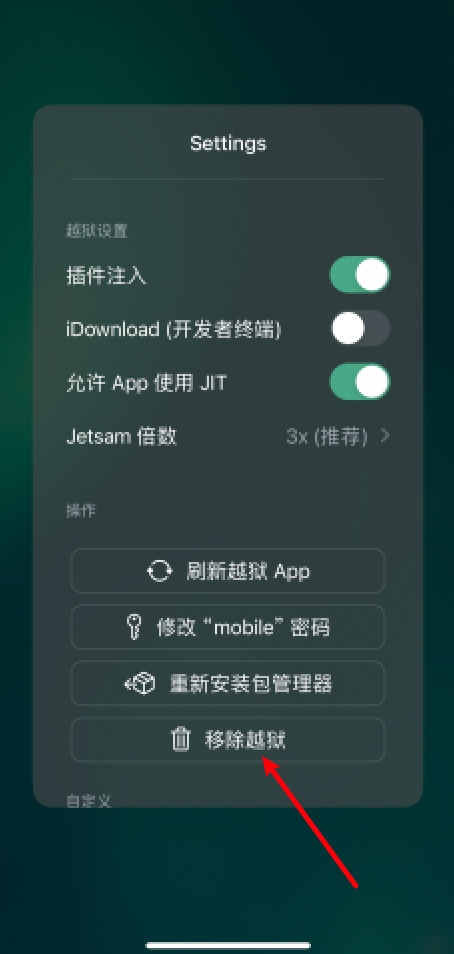
Click Remove jailbreak
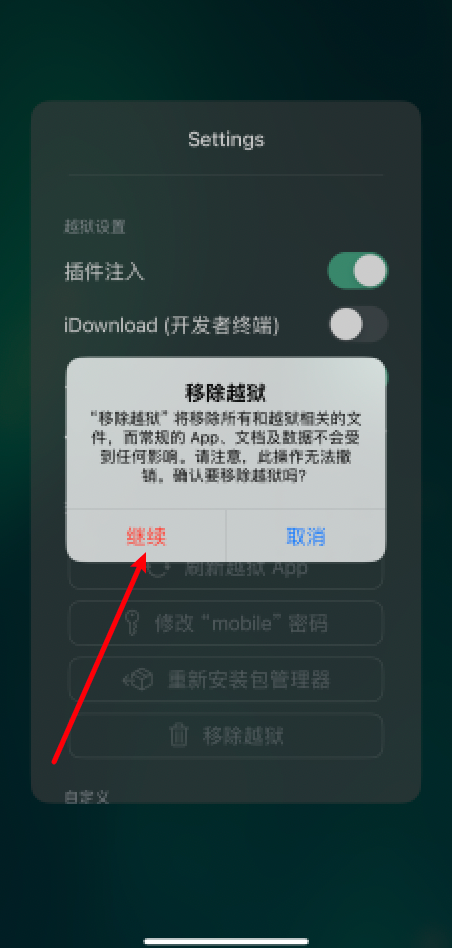
Click. Continue. Just a moment.
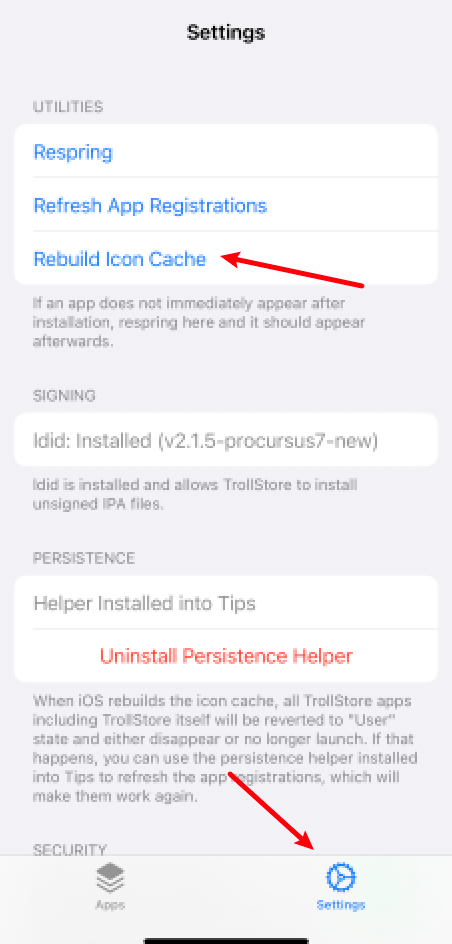
Click Bottom Right Settings, Click Rebuild Icon Cache, recreate desktop icon cache
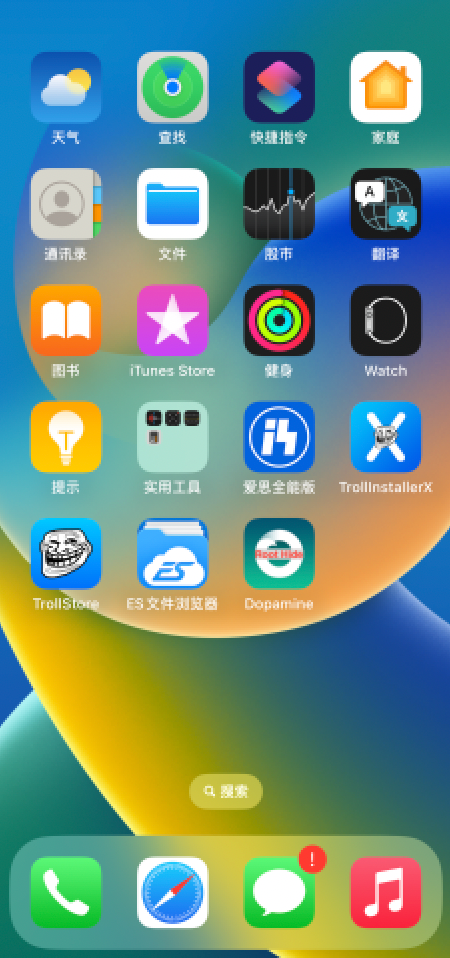
You can see that the icon after jailbreak has disappeared and that ZXXQTERMM10QXZ has been successfully removed.