
Installation Guides
Installing TrollStore
How to install TrollStore.

TrollStore official homepage:https://github.com/opa334/TrollStoreCopy
It contains the following two parts:
1. Installation of giants using TrollRestoreShop;
2. UseTrollStore installed by TrollInstaller X Giant;
----------------------------------------------------------------------------------
1. Installation of giants using TrollRestoreShop tutorial:
Windows users can download:
https://pan.baidu.com/s/1k2LxU6-m8Wt2604WwTbFxA?pwd=6666Copy
Please download from MacOS user:
https://pan.baidu.com/s/1Da34Gu35TmEqb9p7HeIwHw?pwd=6666Copy
Connect cell phones and trust devices
Windows users double-click the download.RollRestore.exe run
When MacOS user opens the terminal, pull RollRestore directly to the terminal command line and go back to the car.
(This may require an offline environment)

Enter: Tips
We'll be back in a minute.

This hint is a successful installation, and the cell phone will be restarted
After restarting, we found the cell phone desktop.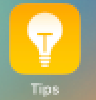 It's the tip.

Click Install RollRestore to install a giant assistant(This may require an offline environment)
If installed:
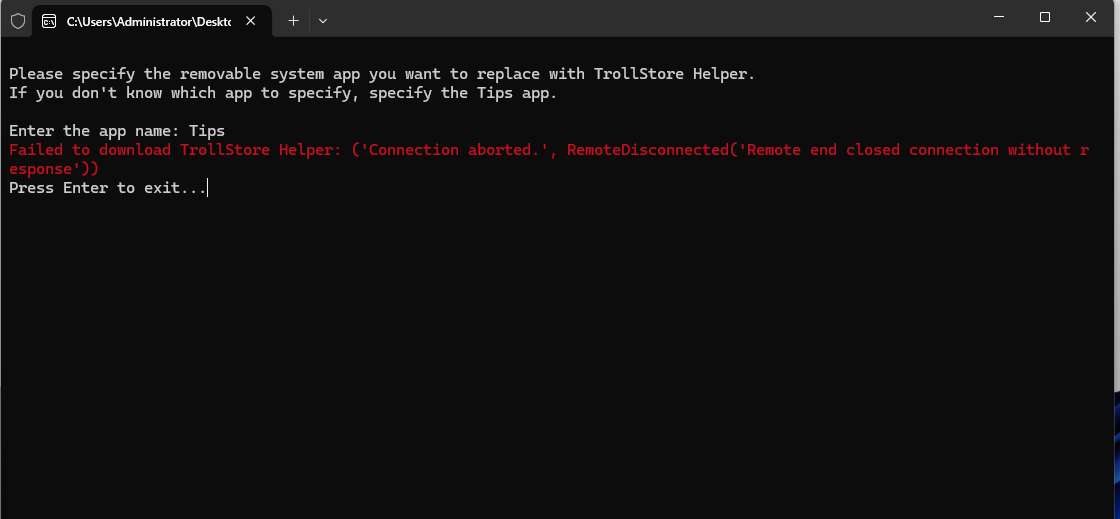
It needs magic to go online.
Some of the equipment doesn't support TrollRestore.TrallInstaller X Giant Assistant installs.
-----------------------------------------------------------------------------------
UseAuxiliary TrollInstallerX installed a TrollStore tutorial:
Support for iOS version: iOS 14 - 16.6.1
Here, for example, iPhone12 iOS 16.1.2
It contains the following:
1、DownloadTrollInstallerX's assistant.
2、Aeth Assistant Signature InstallTrollInstallerX's assistant.
iOS16 started the developer mode tutorial
Aeth Assistant Signature InstallTrollInstallerX's assistant.
3、RollInstarler X Giant Assistant install TrollStore
One, download Troll InstarlerX's assistant:
TrollInstallerXV1.03 by Giants
100 degrees of disk: https://pan.baidu.com/s/13Jv6vU3VxMZEKHE0af7OvQ?pwd=6666Copy
MEGA Web:https://mega.nz/file/PoRCBQxQ#JsD8d2rgaDwQ7gvafTGisYlkWpoC1TOQg6nWvIhDv3ICopy
If your device happens to be an iPhone14 yellow iOS16.3 system, use the following version of Giant Assistant:
100 degrees of disk:https://pan.baidu.com/s/1aglLV7PS_GFuO2D0n4ou9g?pwd=6666Copy
MEGA Web:https://mega.nz/file/aoIlTDiJ#XcyfNtH9WG-3mMm0LOCbMS_bhgYygnLM8IG2mxYLA8ICopy
2. Aeth's assistant signed the Giant's assistant course:
iOS16 started the developer mode tutorial
If the device is an iOS16 system, you need to turn on the developers' mode. --->"iOS16 Starts the Developer Model"
Aeth's assistant signed the Giant's assistant course:
Data line connector, open Athe's assistant,
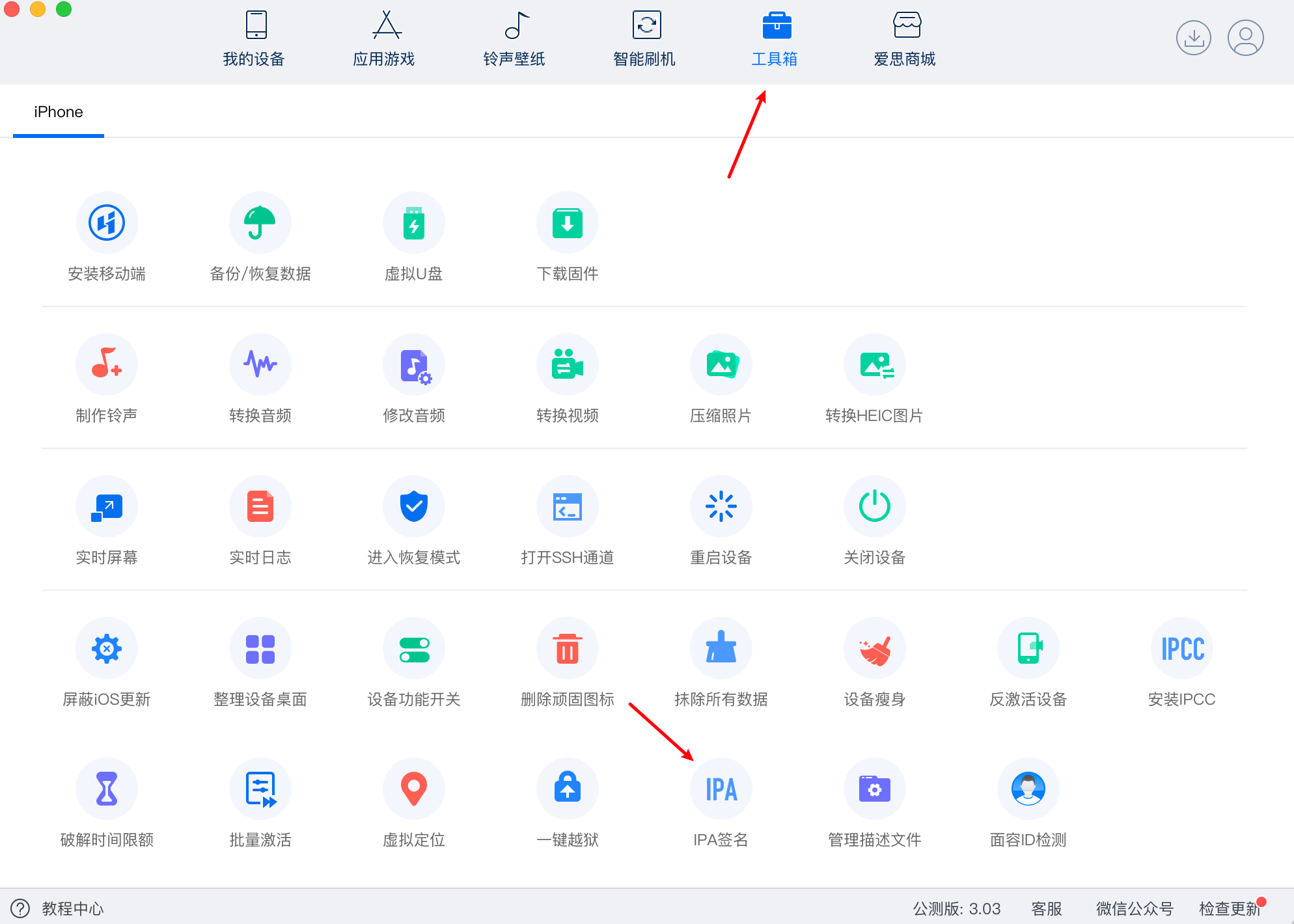
Click on the toolbox, click on the IPA signature
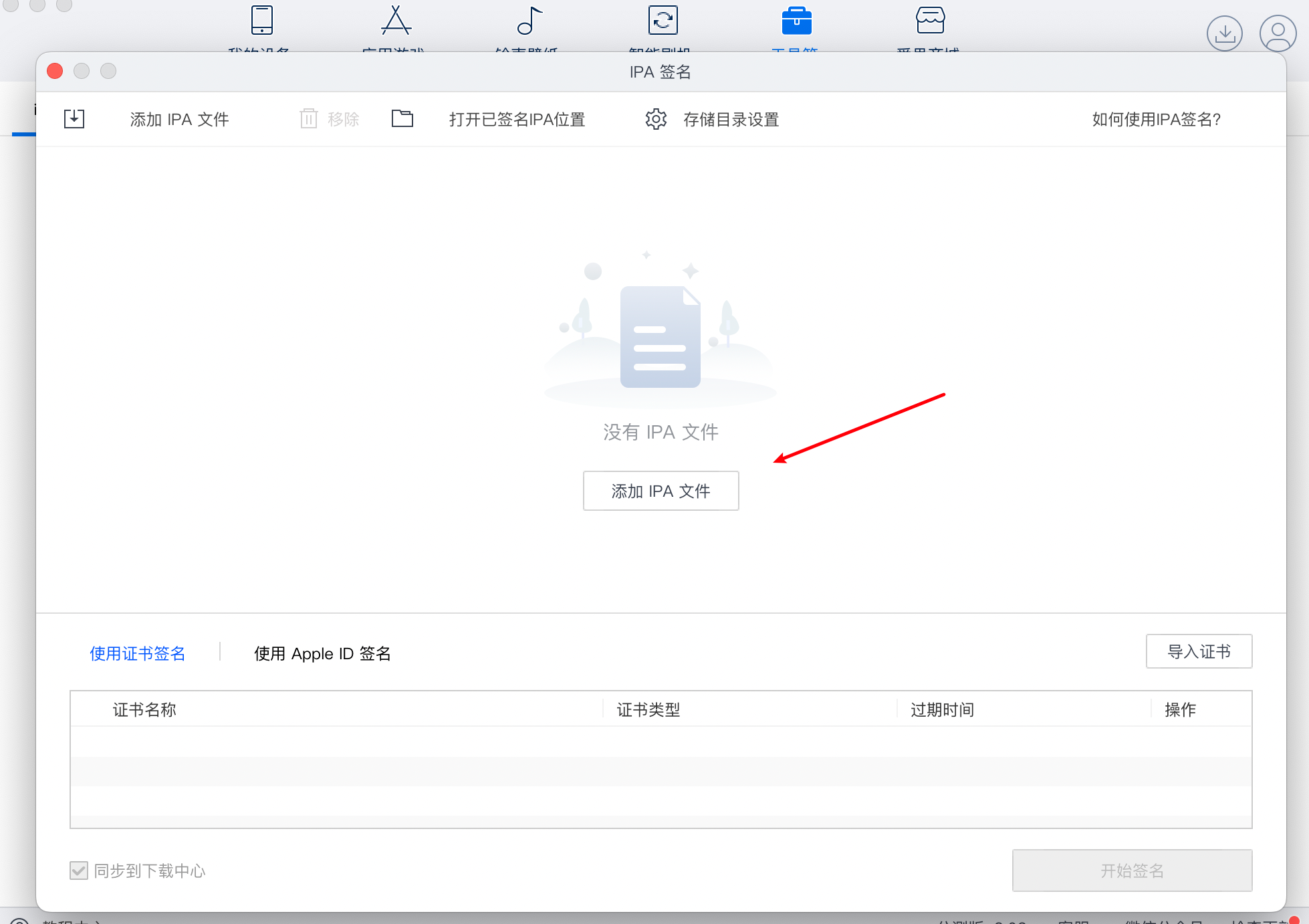
Click to add an IPA file and download just finishedTrollInstallerXAdd Titan Assistant IPA Package
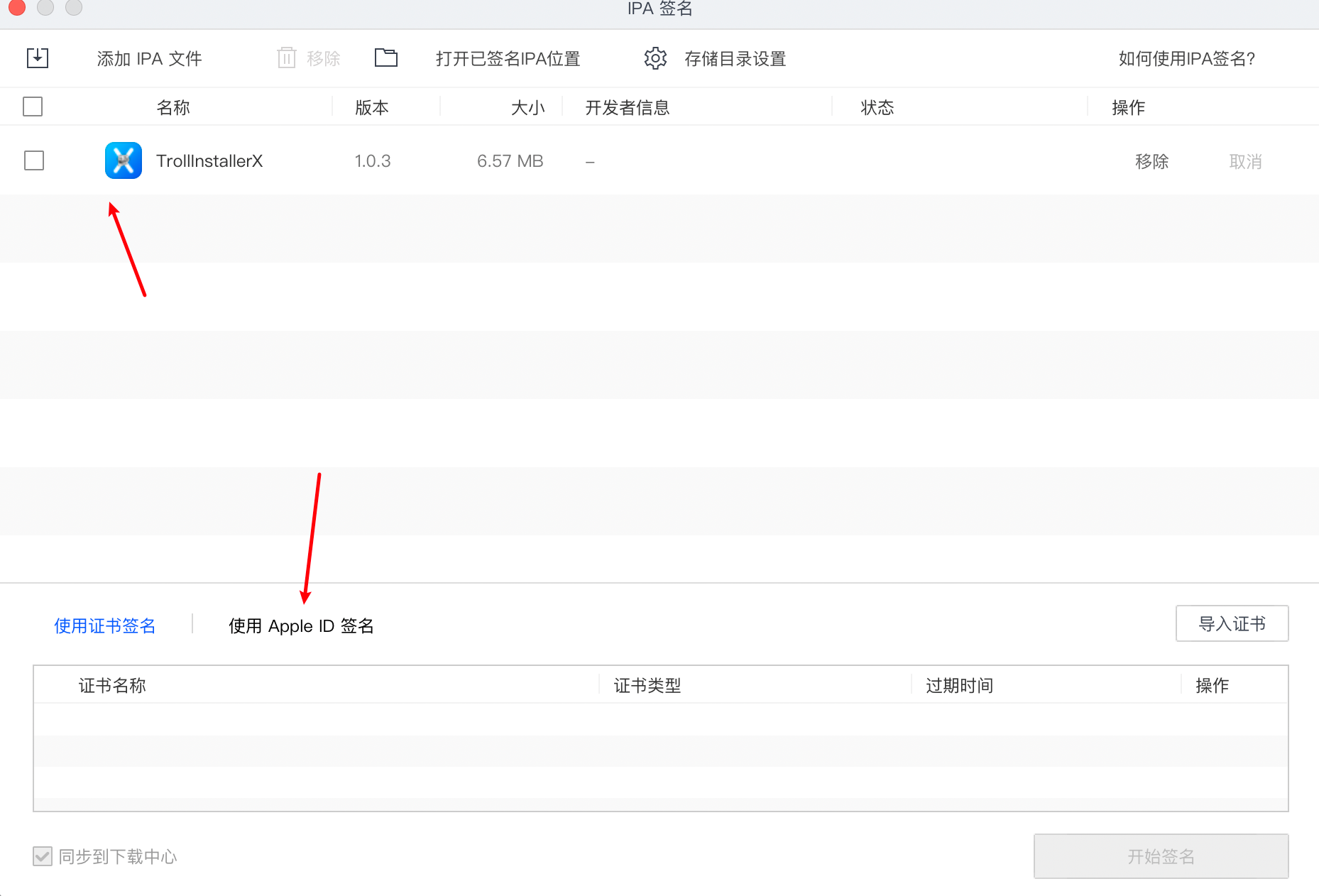
CheckTrollInstallerXGiant Assistant, click below for Apple ID signature
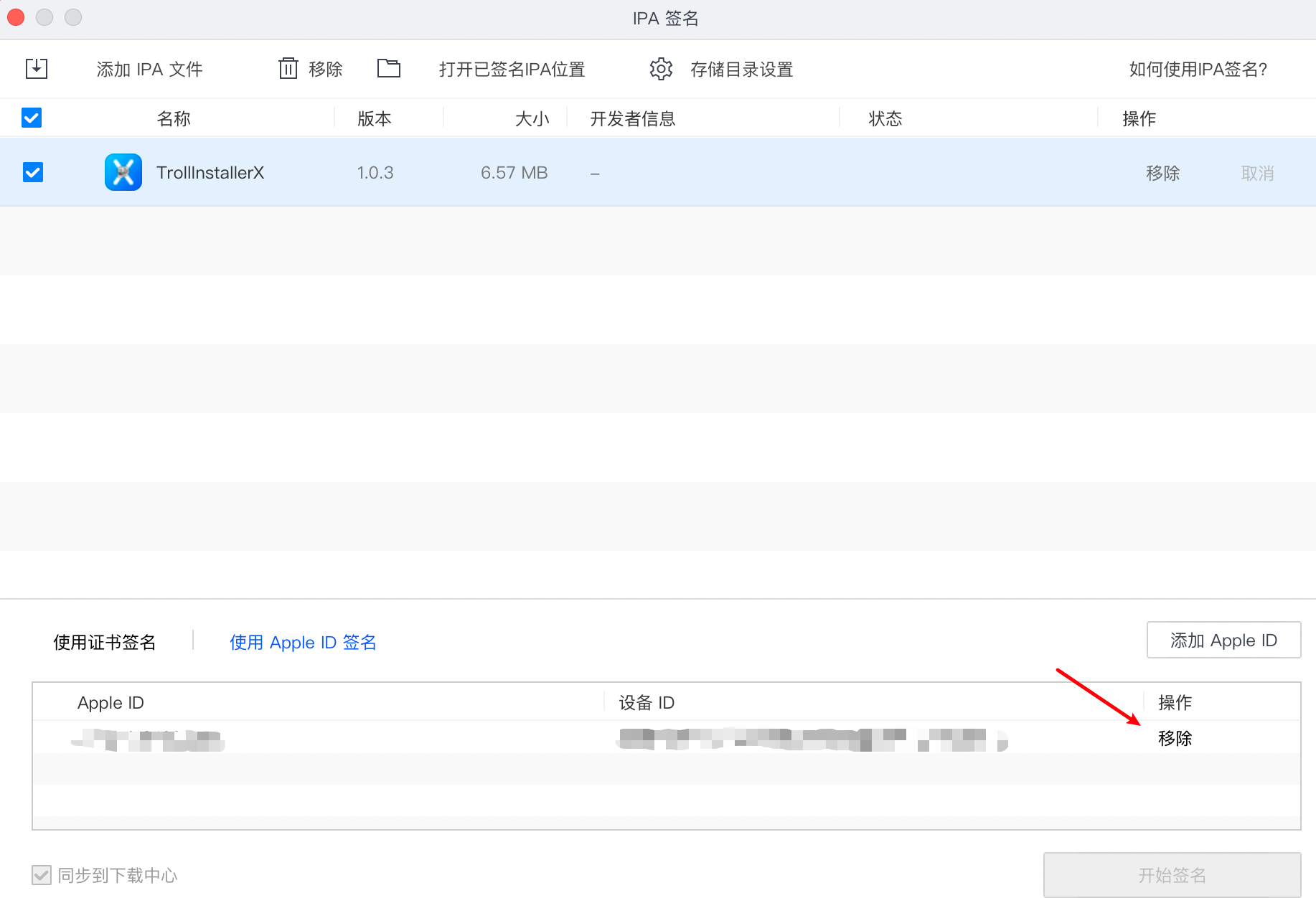
One of the things to be noted here is that if you have signed another device or other IPA package, you have to remove the old device ID first.
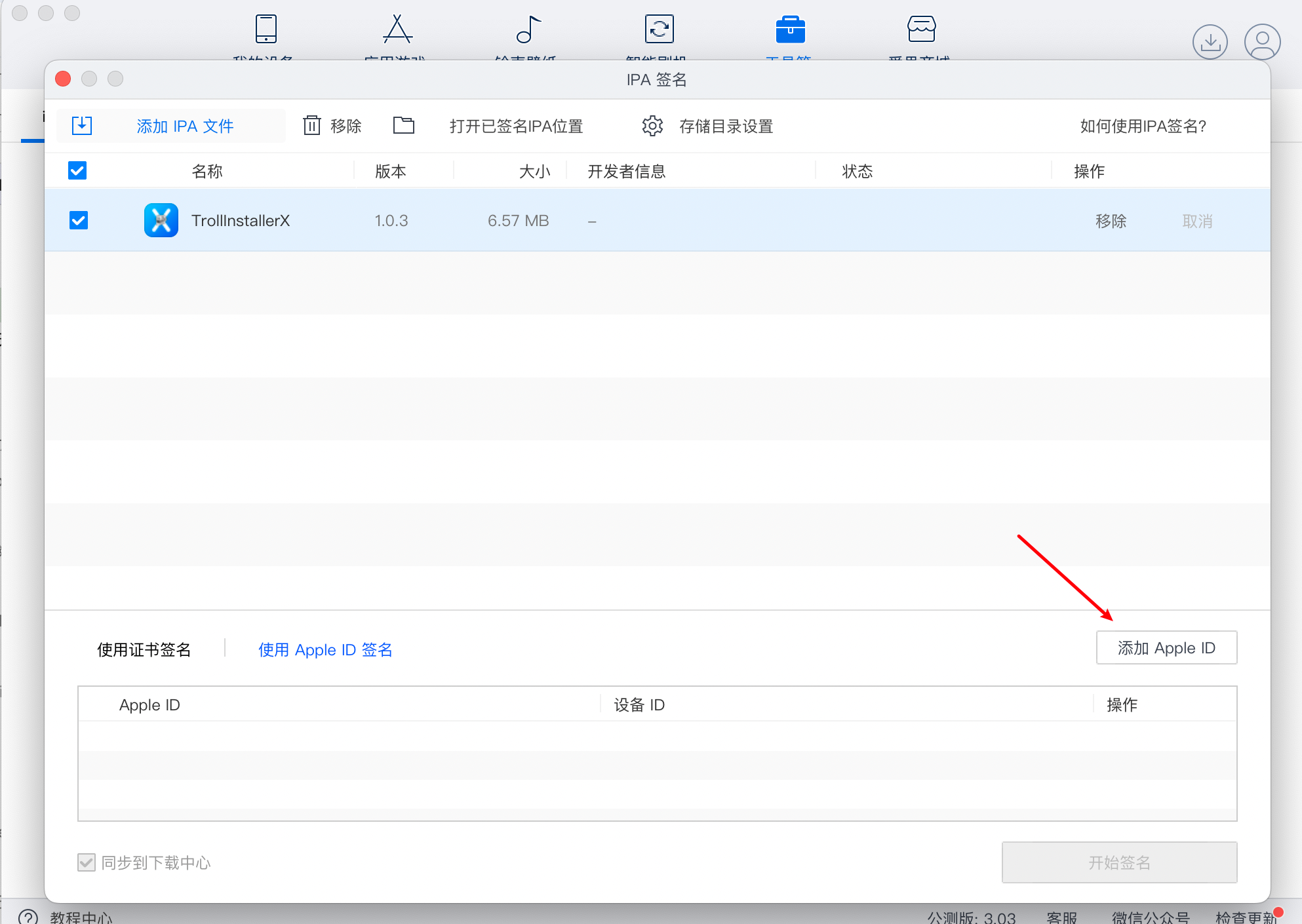
Click Add Apple ID button
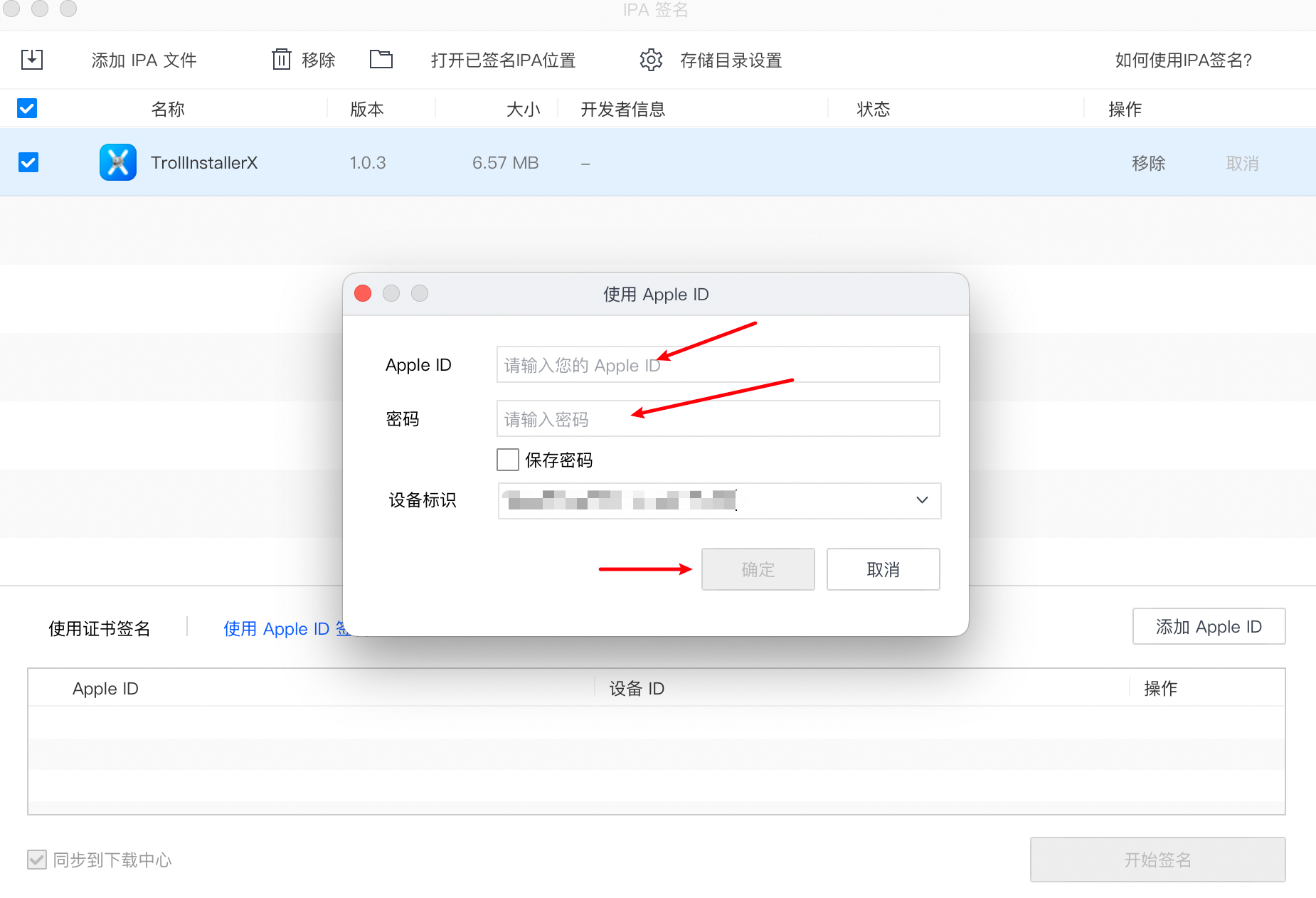
Enter available Apple ID, OK
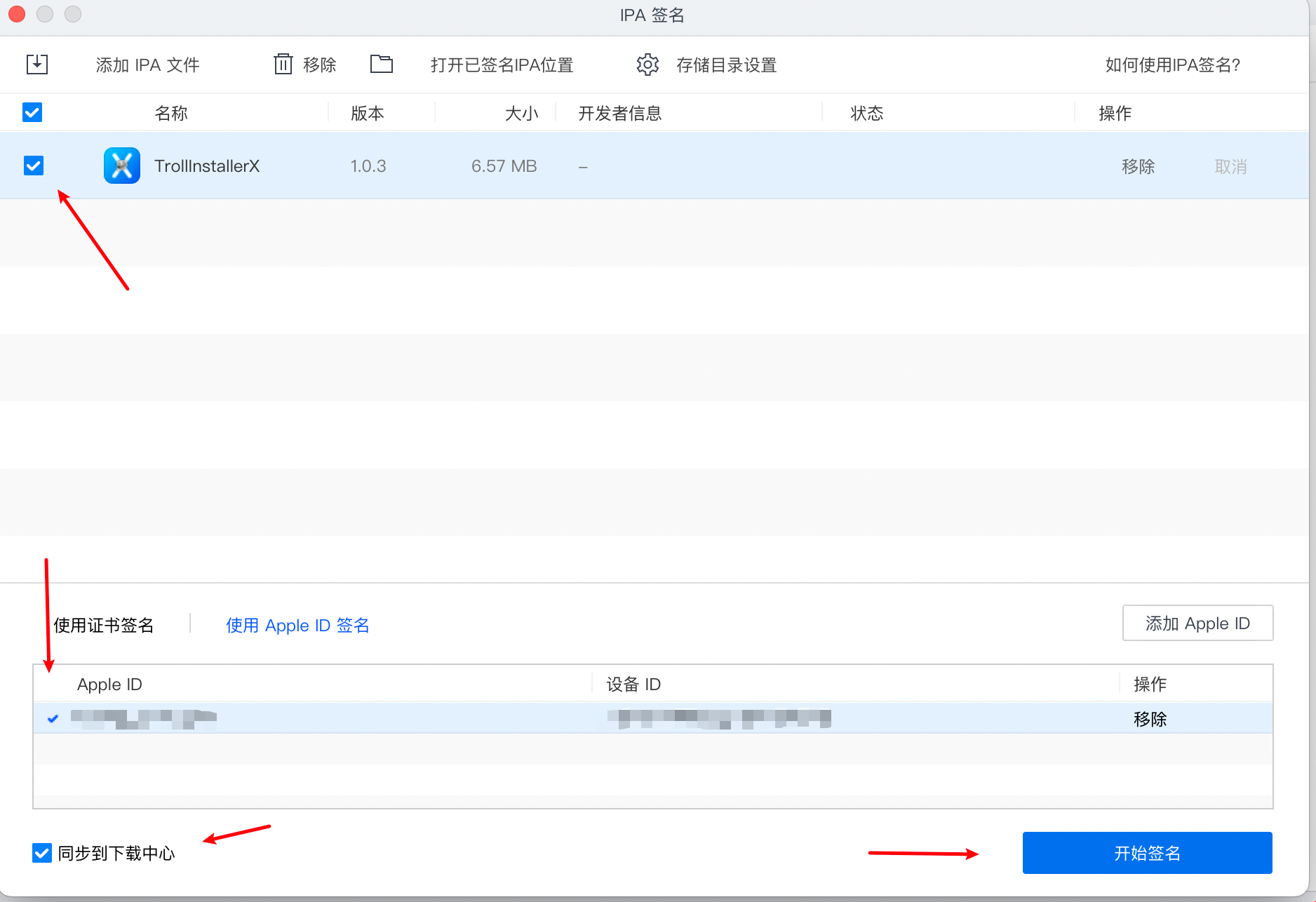
Check added Apple ID, click Start signature

If the red word fails, the probability is the Apple ID problem, such as the signature device is full, the ID account number or password error, the ID has been disabled, etc., and the probability of replacing Apple ID is resolved.
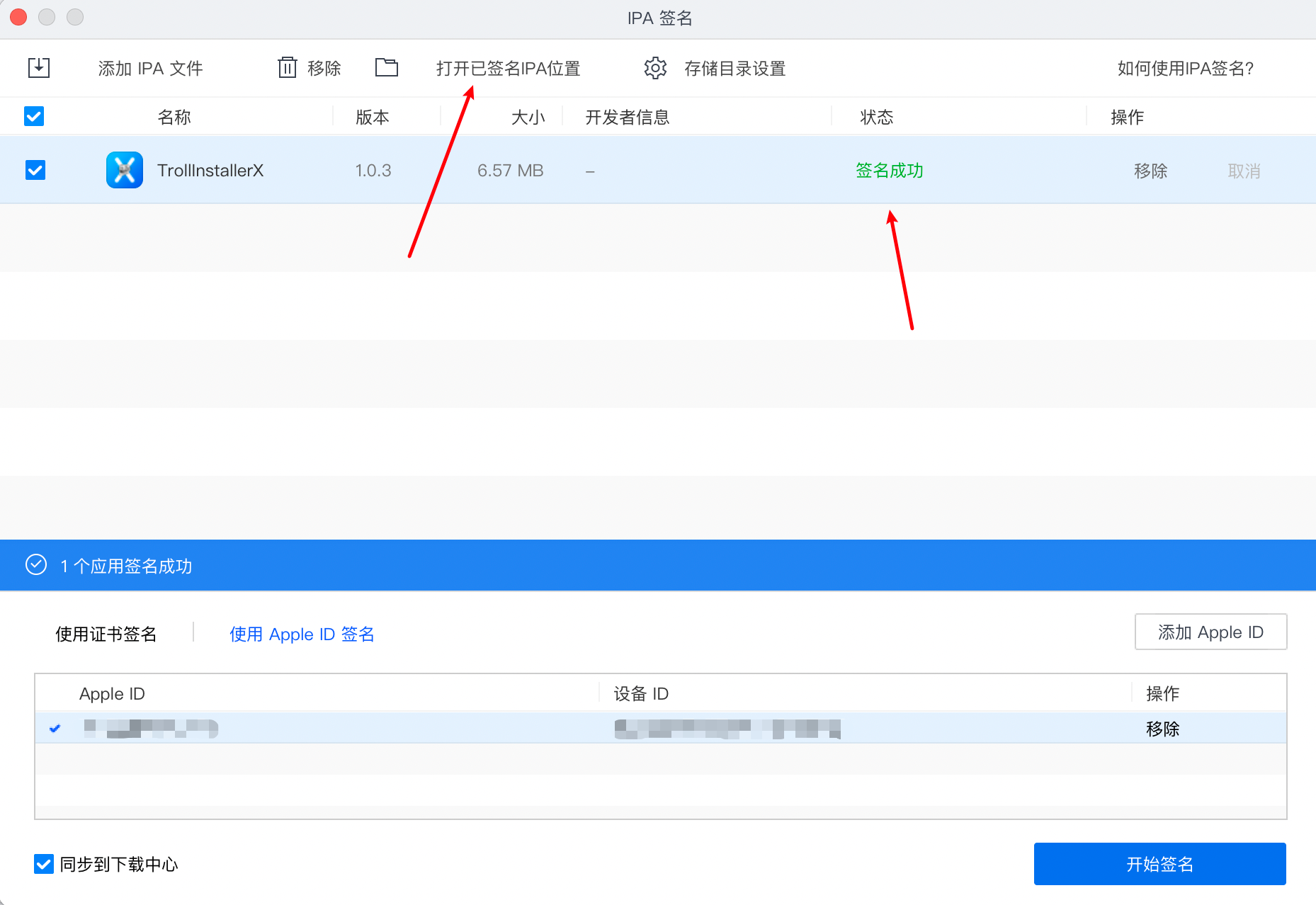
When you see a successful signature, click to open signed IPA position

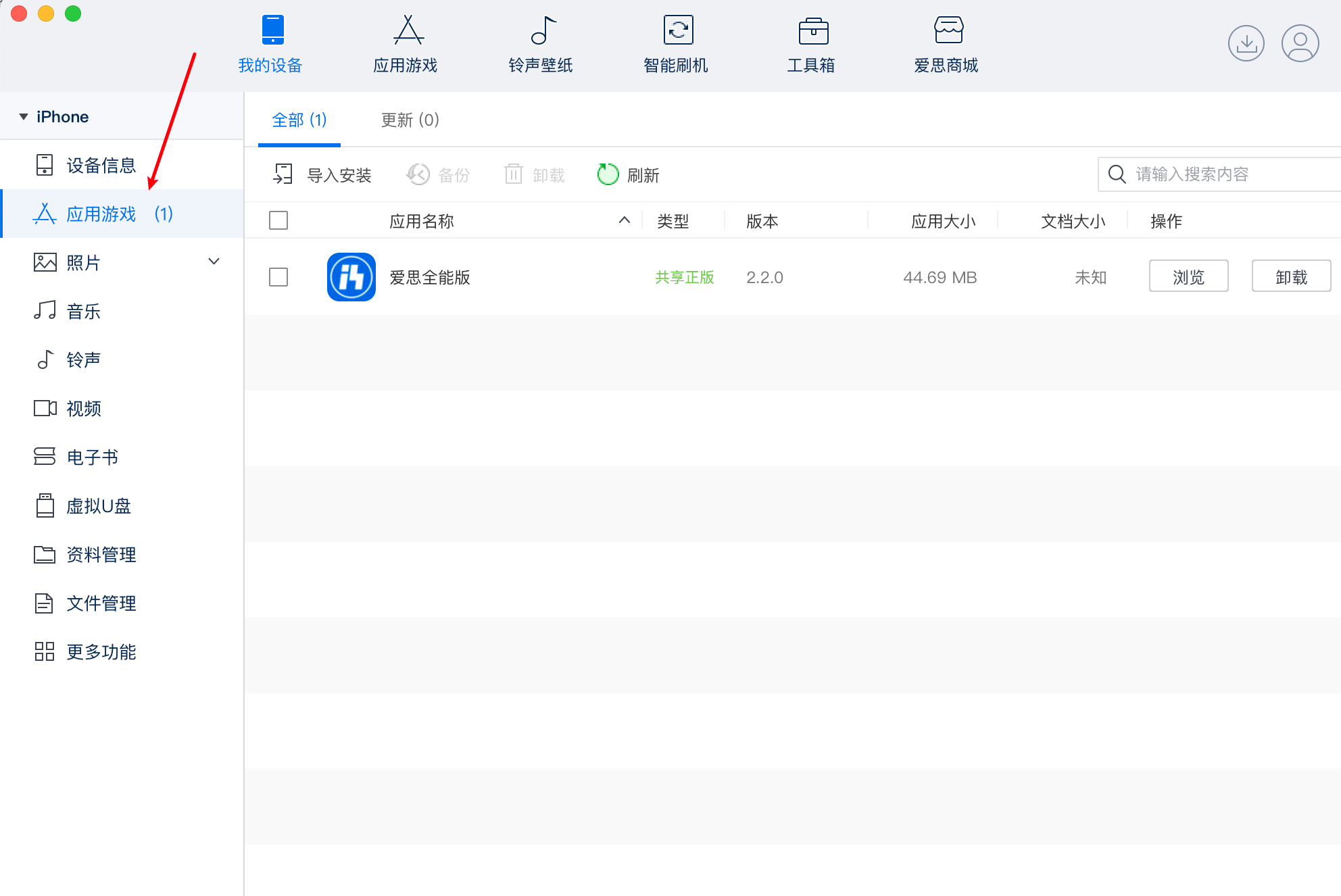
Select the IPA package that has just signed, open the Aeth assistant, click on the application game, and install the IPA tow to a mobile phone. If there is a hint (the installation package has failed or the device has not been jailbreak), the probability is that the wrong device ID will be used to re-sign the old device.
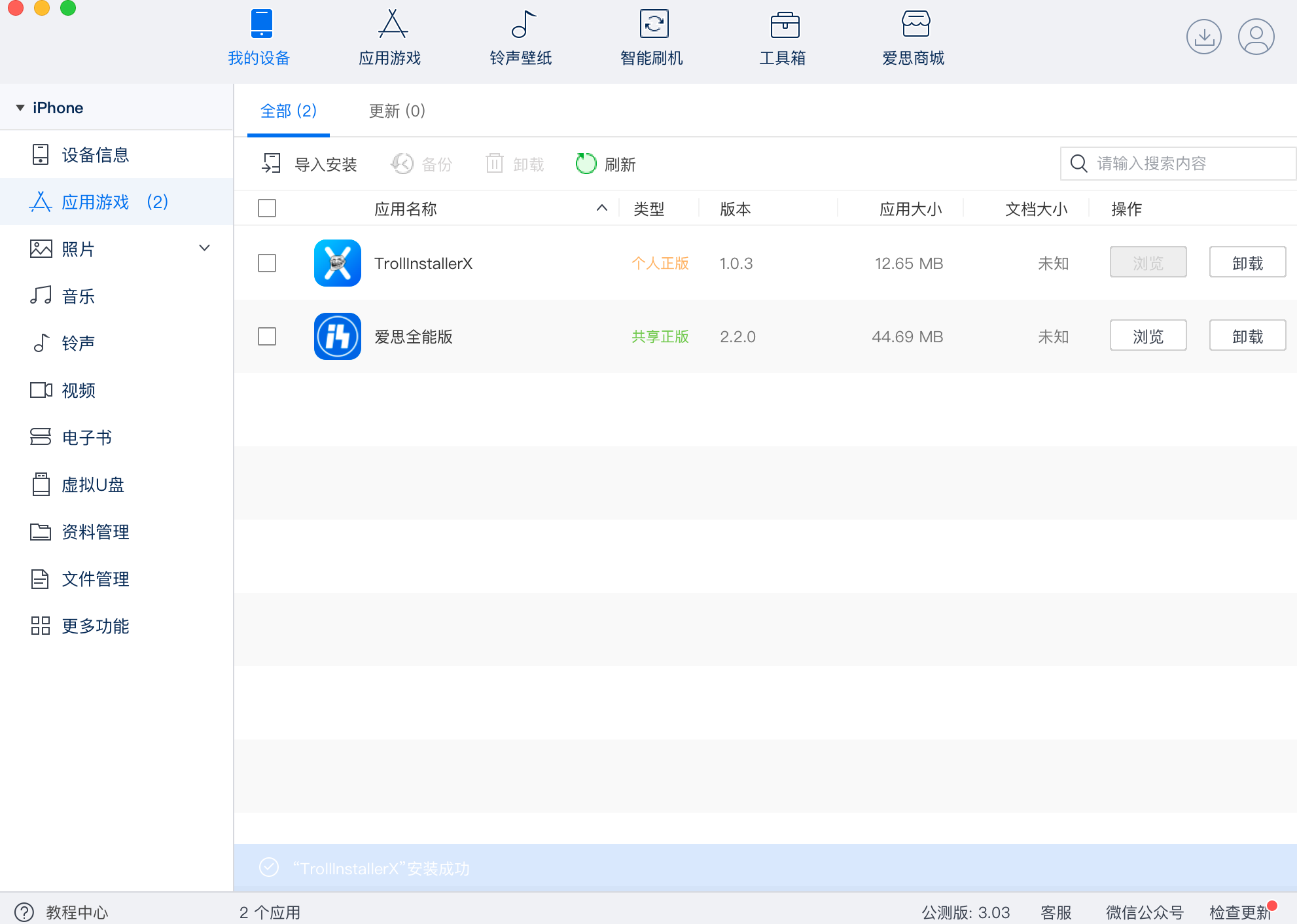
Once installed, open the settings on the phone
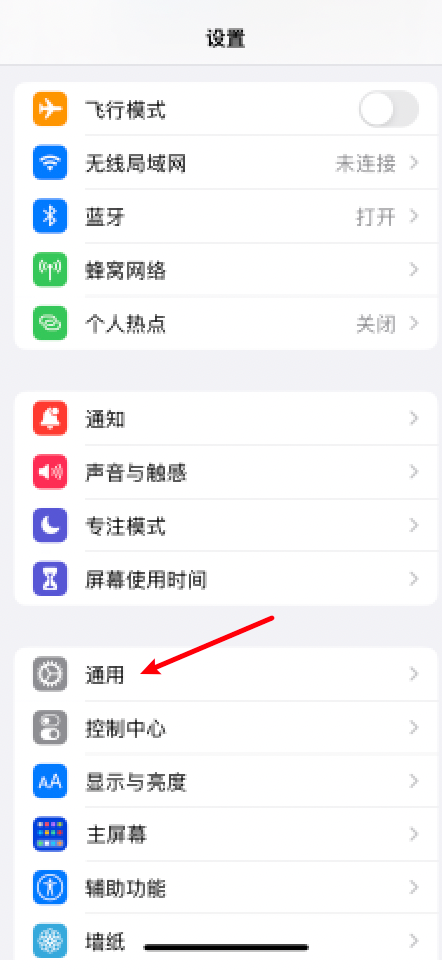
Click Universal
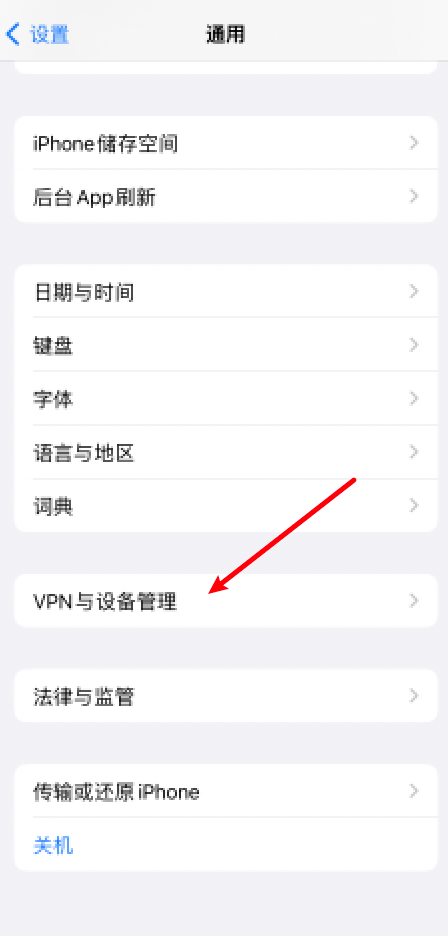
Click VPN and Device Management
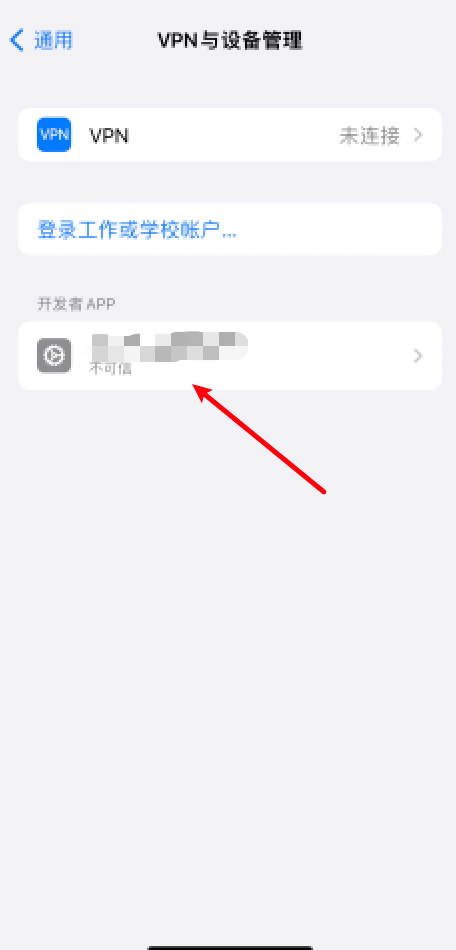
Click on just signed developer APP
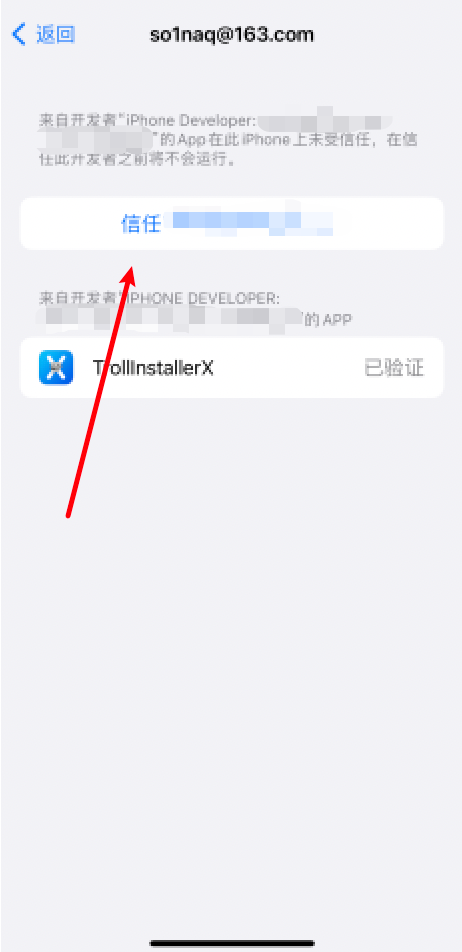
Click trust, click trust, then open the phone.TrollInstallerXGiant assistant.
If there are untrustworthy or untrustworthy people, try to restore the network settings.
TrollStore tutorial:
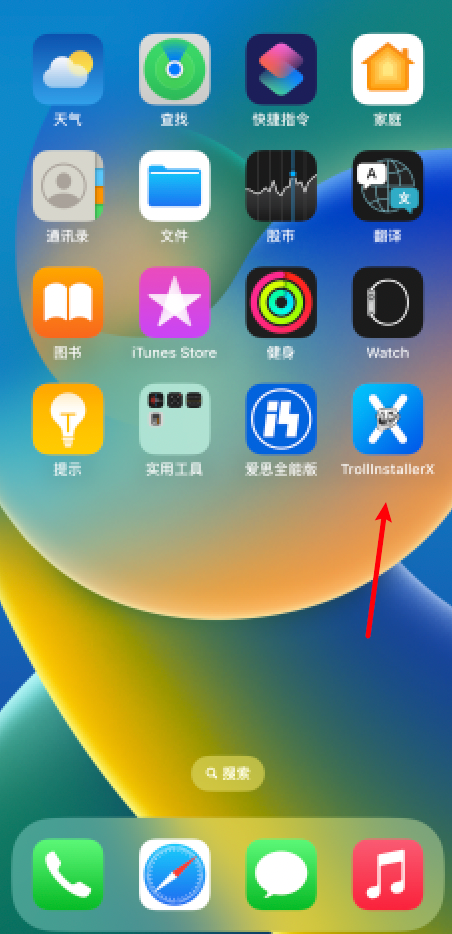
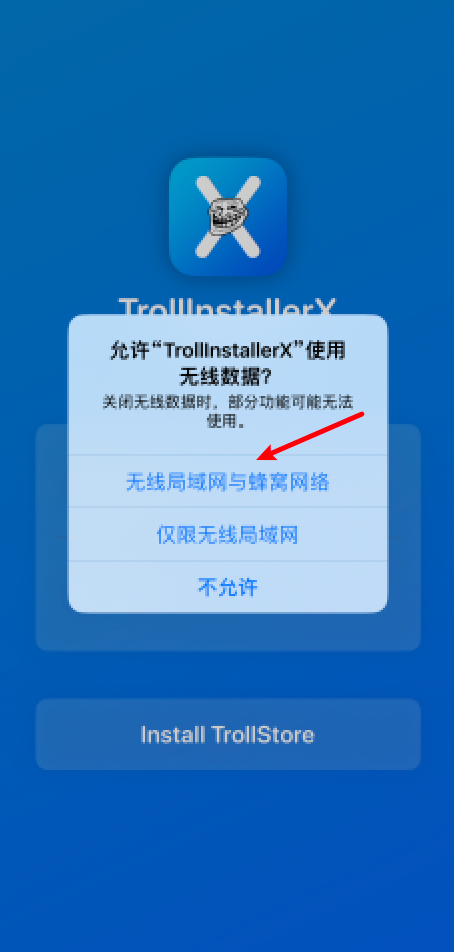
If it's mainland Chinese cargo equipment, click
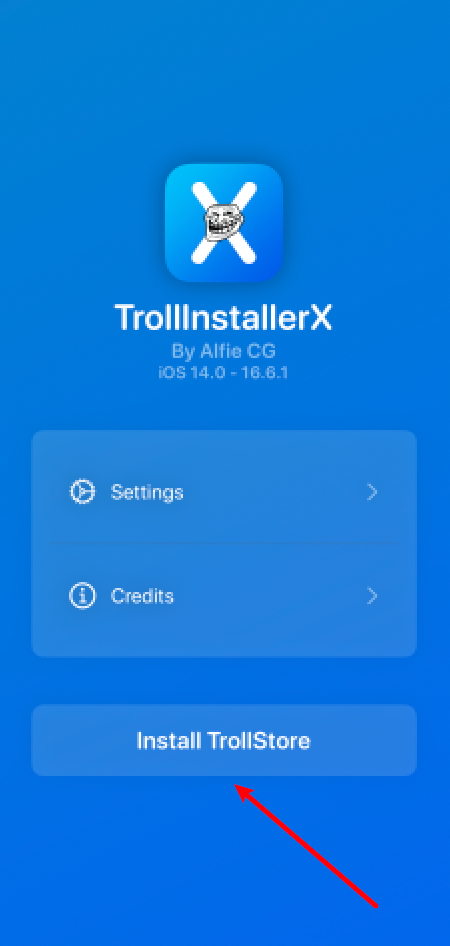
Click on Install TrollStore to start downloading TrollStore, which, if it is used in mainland China, may require magic to access the Internet or the download will fail.
Possible problems:
Hinted to Download KernelDownload failed
Solutions: Magic online.
A step between Expressing Kernel
Solutions: Click Settings on the Giant Assistant's menu and click Clear caught Kernel
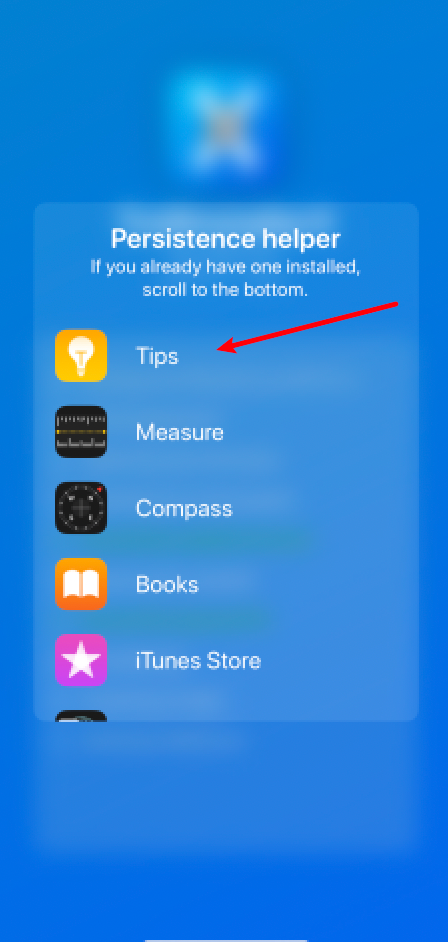
Upon completion of the download, a list of the APPs that are selected to be replaced, usually here is the Tips, or the "Tips" APP, and after the replacement, Tips(Tips) APP becomes the help of the Giant, which facilitates the subsequent unloading or reloading of TrollStore.
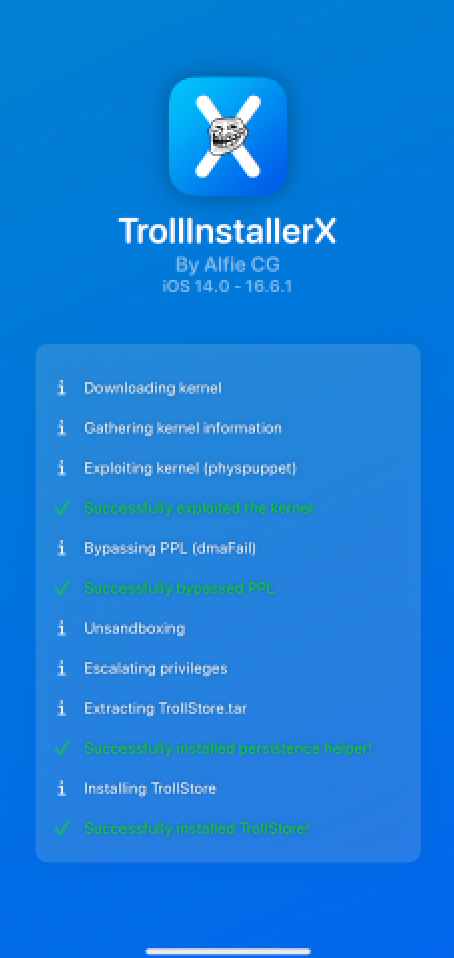
See the installation of TrollStore!
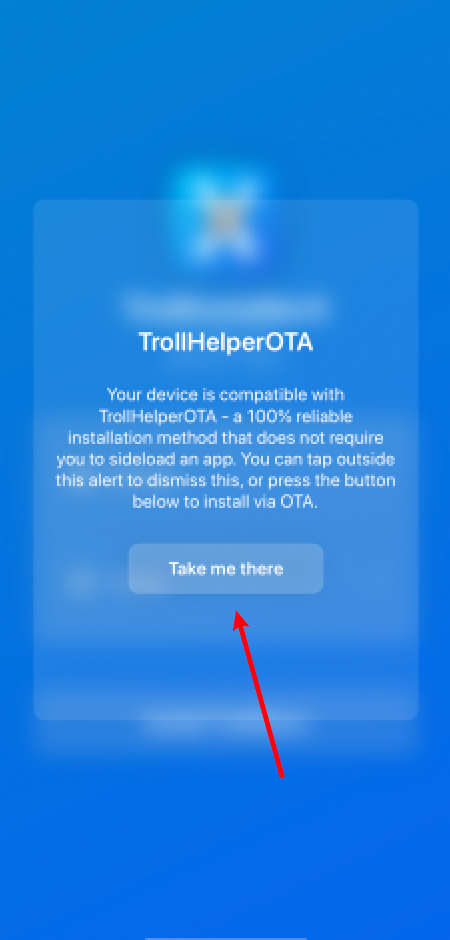
Partial iOS version openTrollInstallerX's assistant.Possible: TrollHelperOTA bullet window, which indicates that this version supports the online installation of TrollStore, click on Take me there
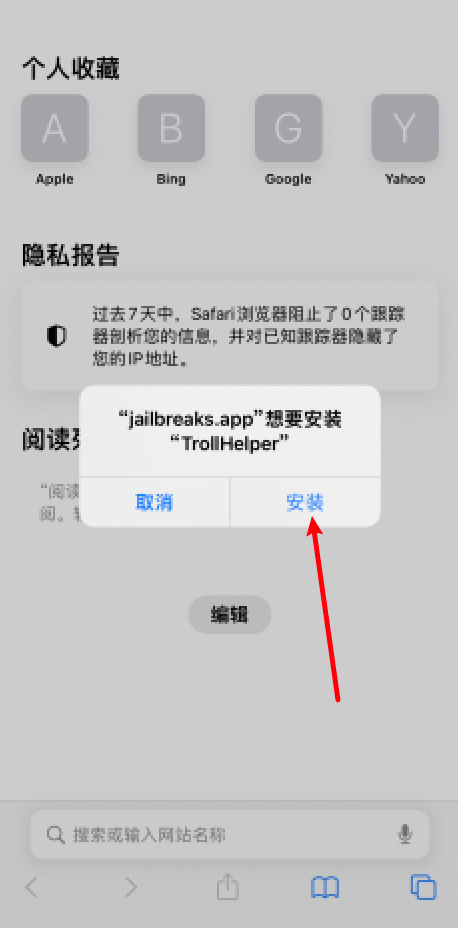
Automatically jump to browser and pop up hints, click Install, (magic Internet may be needed here)
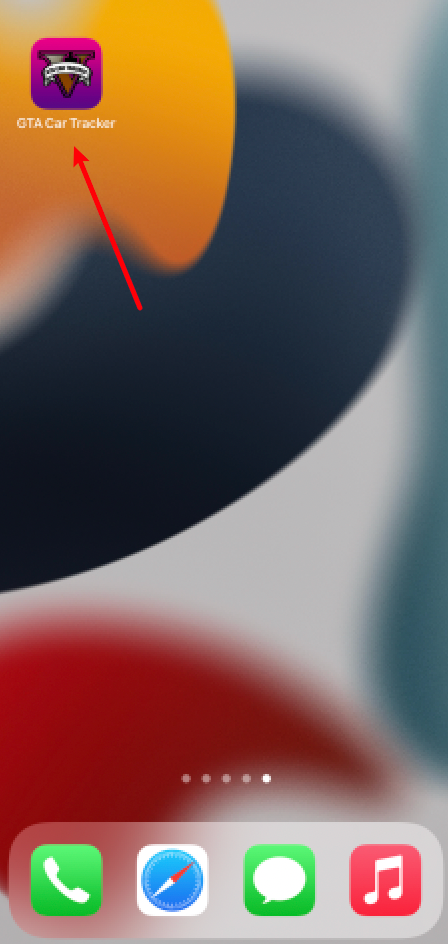
Open the GTA Car Tracker icon that appears on the phone after downloading installation is completed
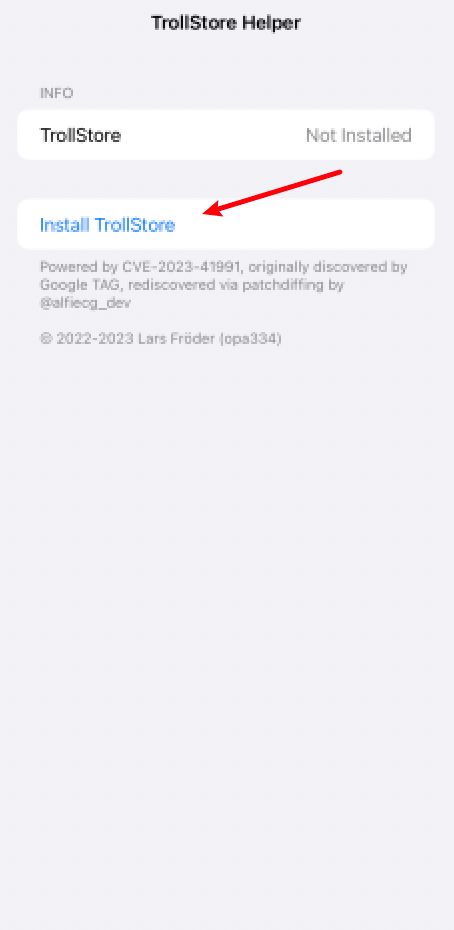
Click Install RollStore, where magic may be needed, to install TrollStore.
Finalize TrollStore settings:
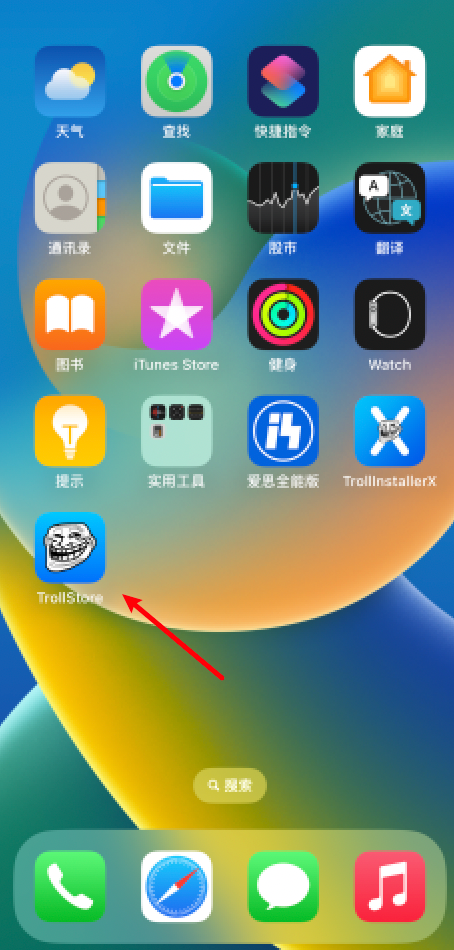
Open TrollStore and wait for a moment to prompt the automatic download of LDIDtweak (which also requires magic on the Internet) and, if no LDID is automatically installed, find installation options in the Giant Assistant Settings (install Idid)
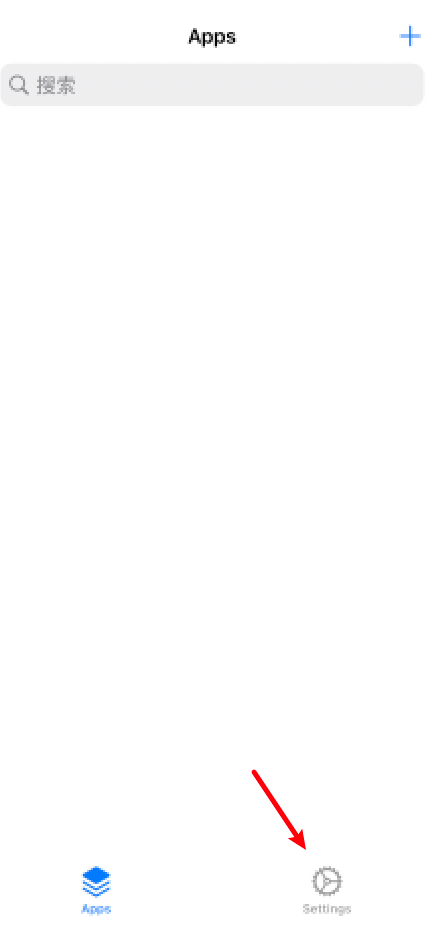
Click Settings
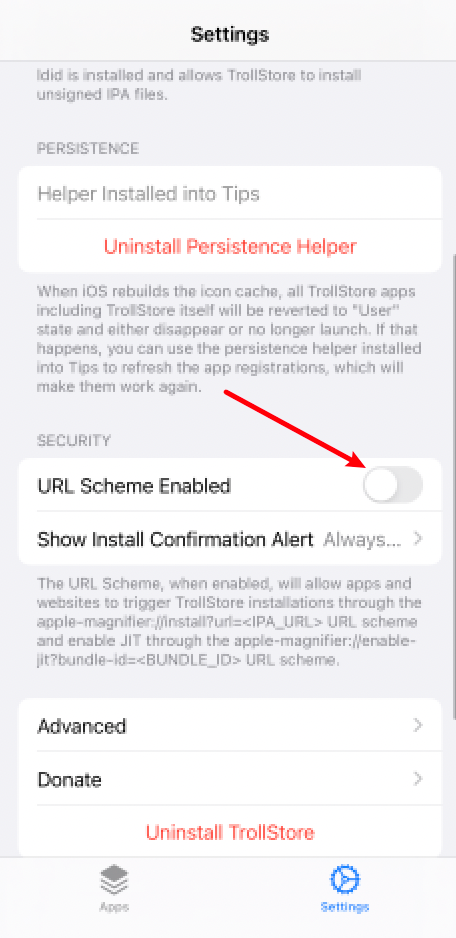
Pull down, click URL Scheme Enabled
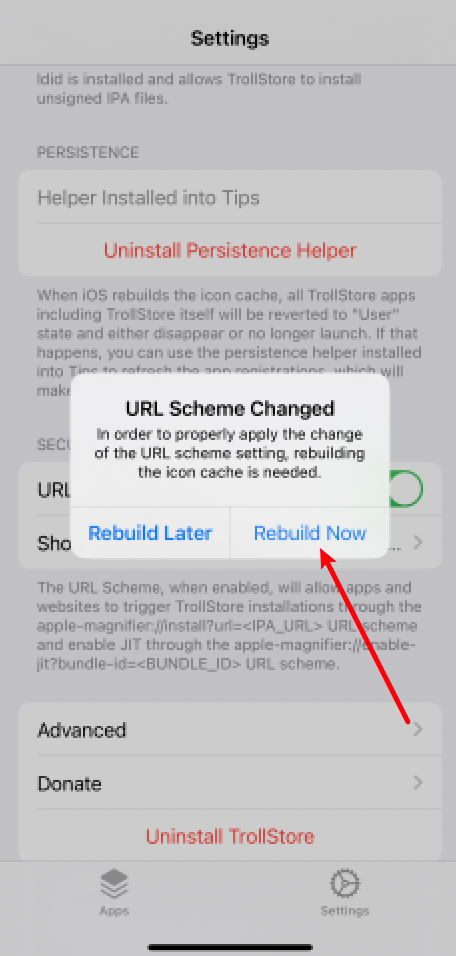
Click Rebuld Now to wait for a moment to write off automatically
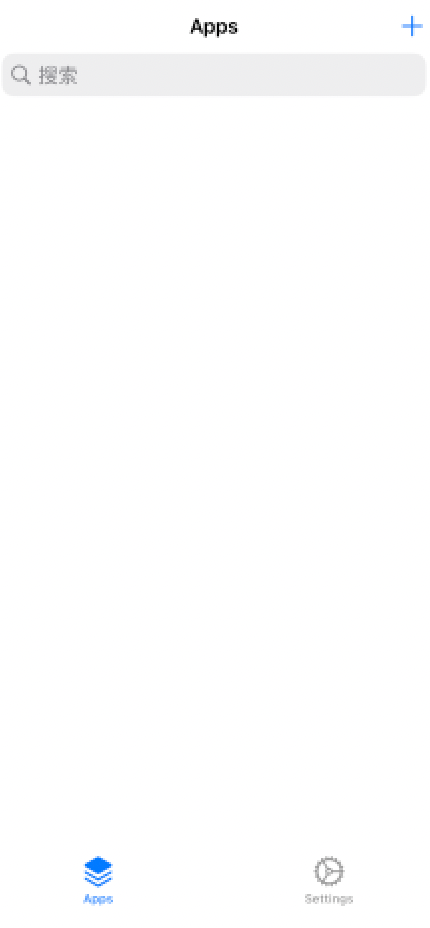
Once the write-off is completed, TrollStore will be used normally.