
Other Guides
Enable Developer Mode on iOS 16
How to enable Developer Mode on iOS 16.

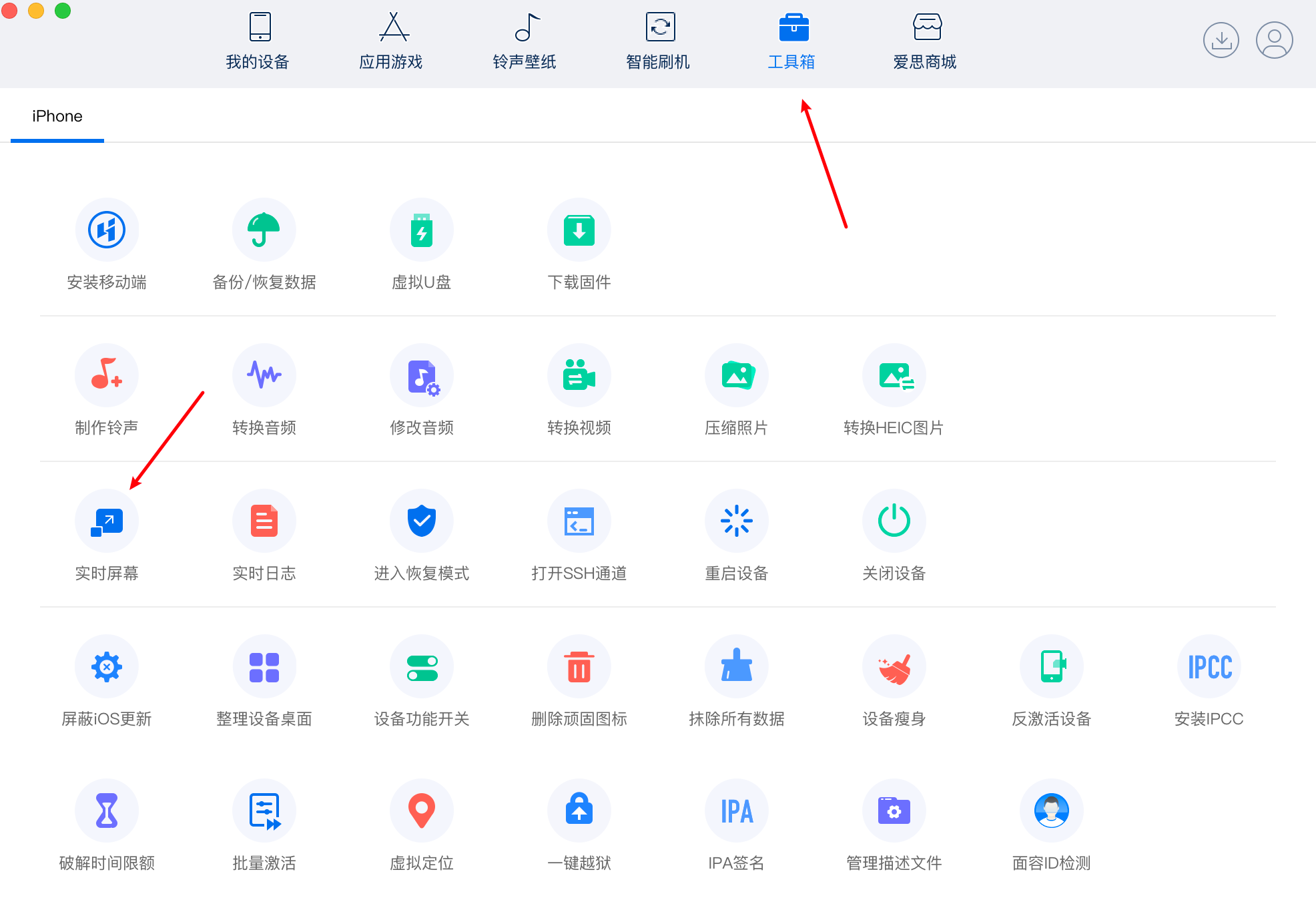
Data line connector, open the Aeth assistant, click on the toolbox, click on the real time screen
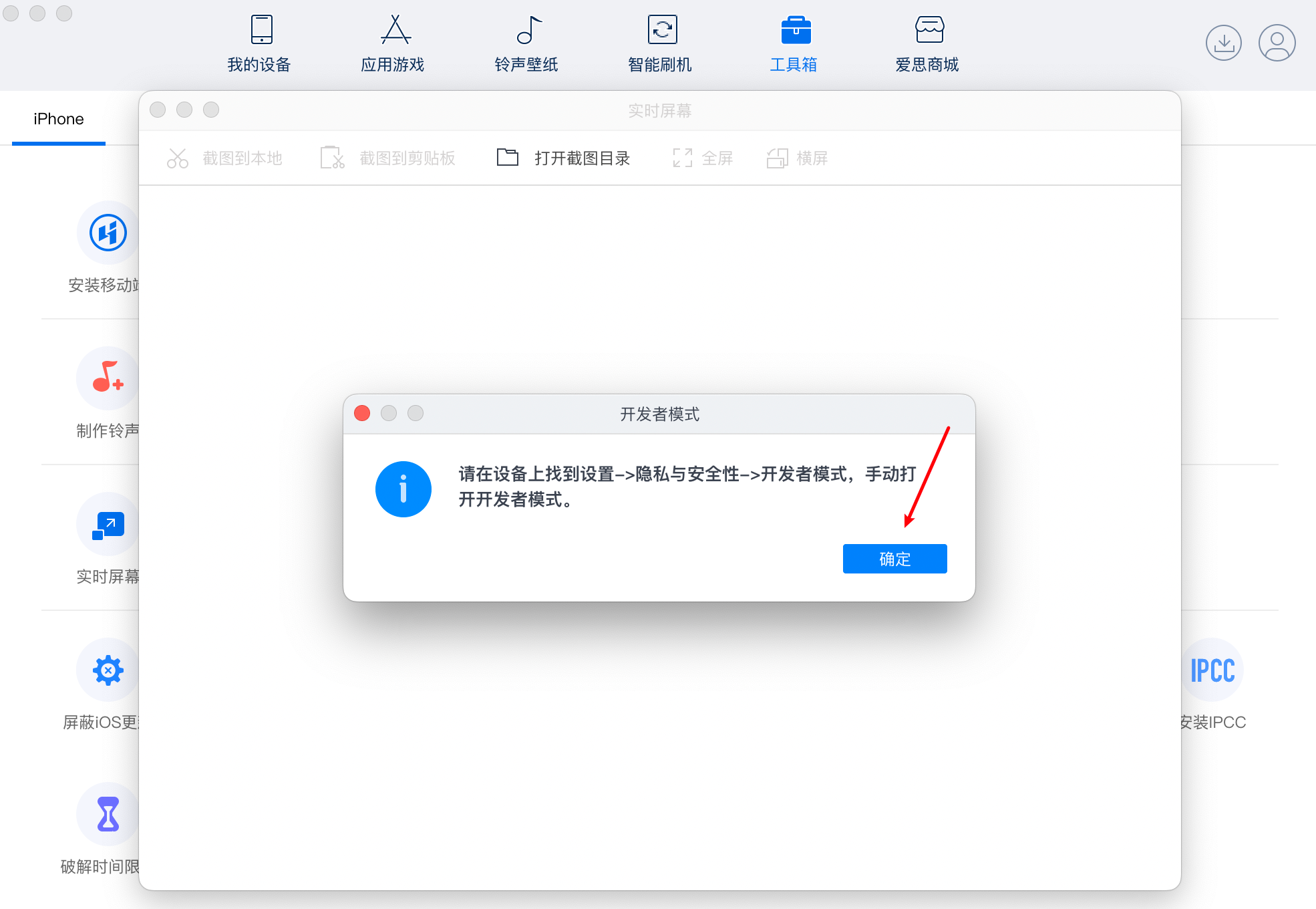
When the window appears, turn on the settings on the phone.
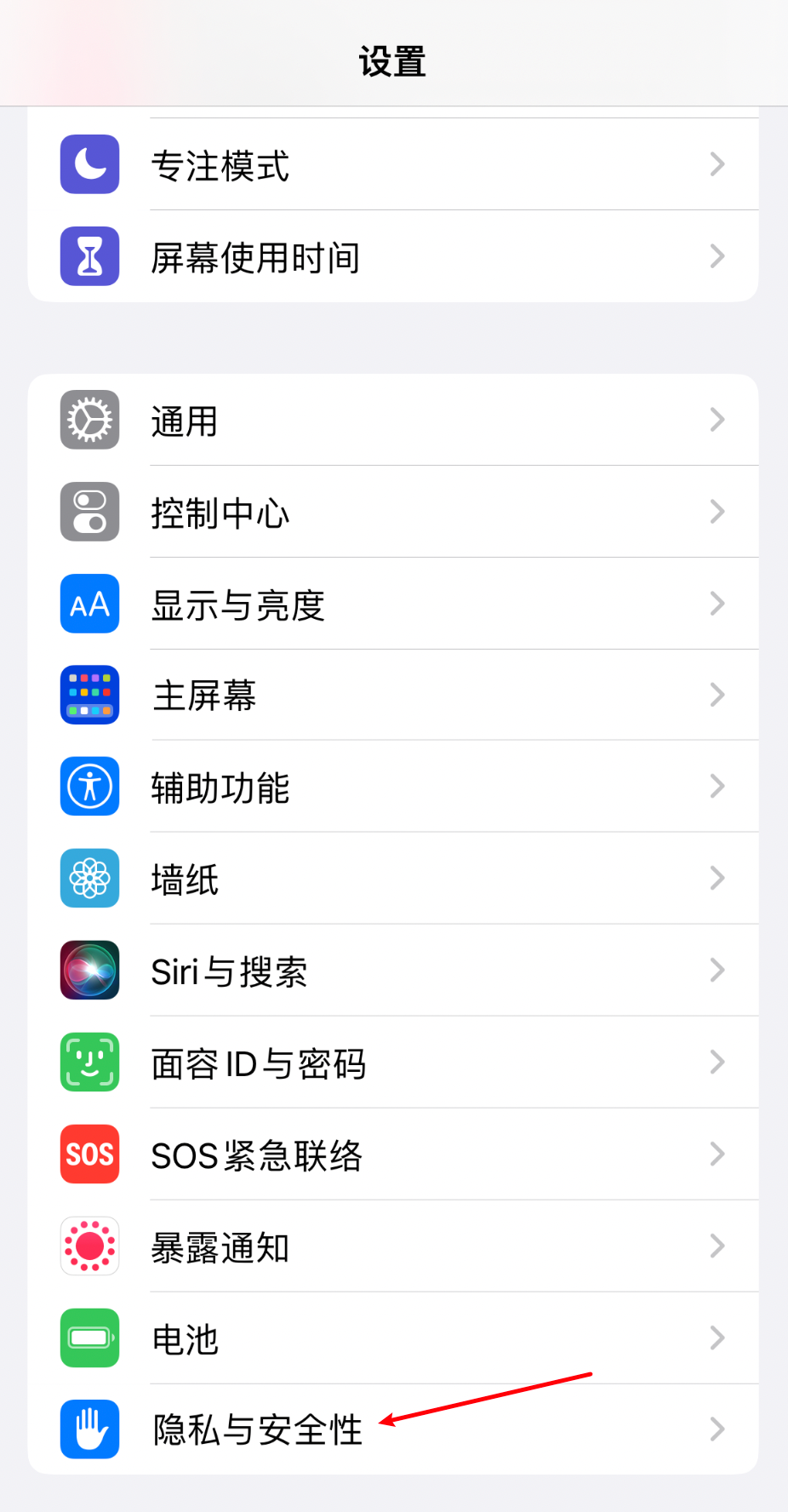
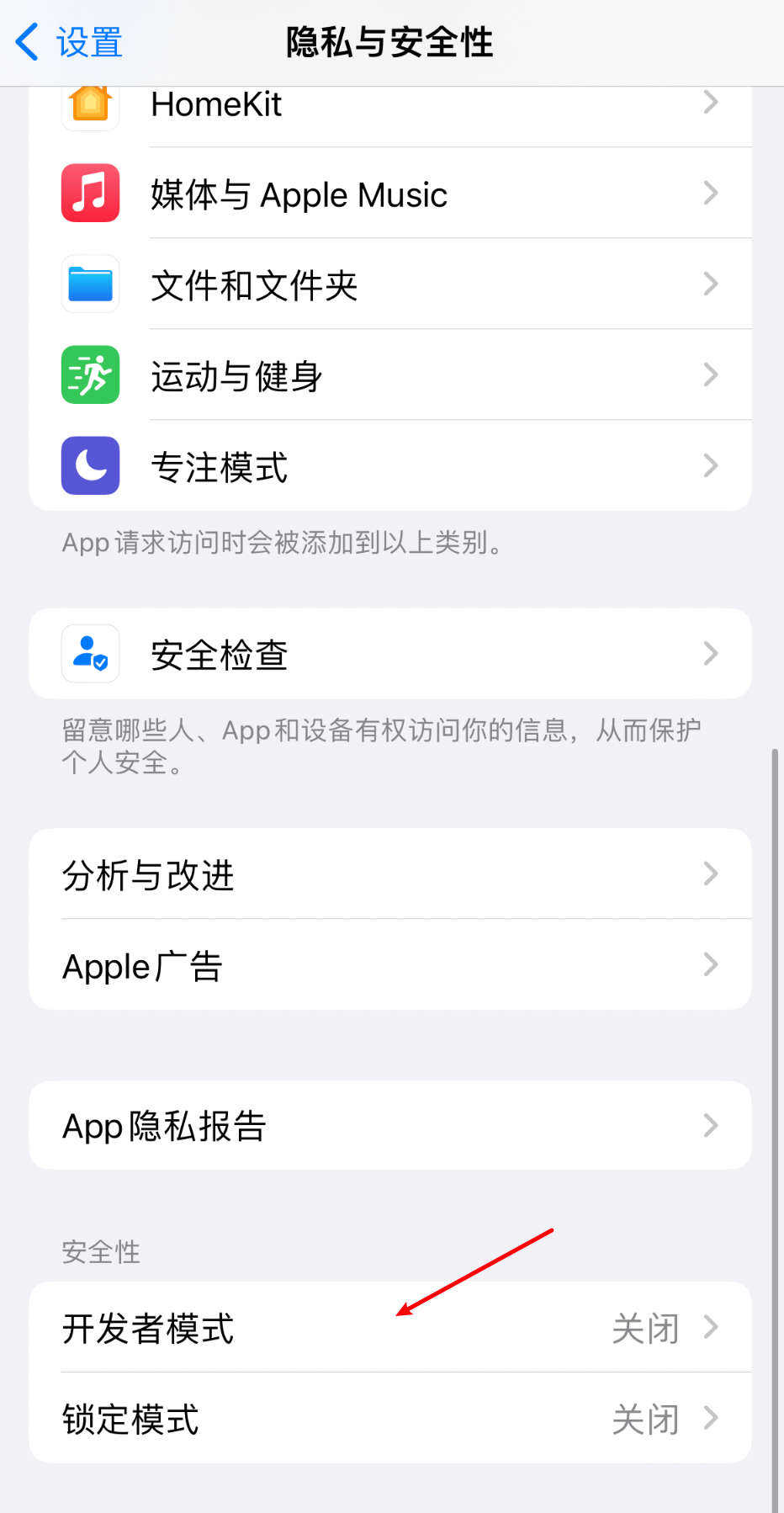
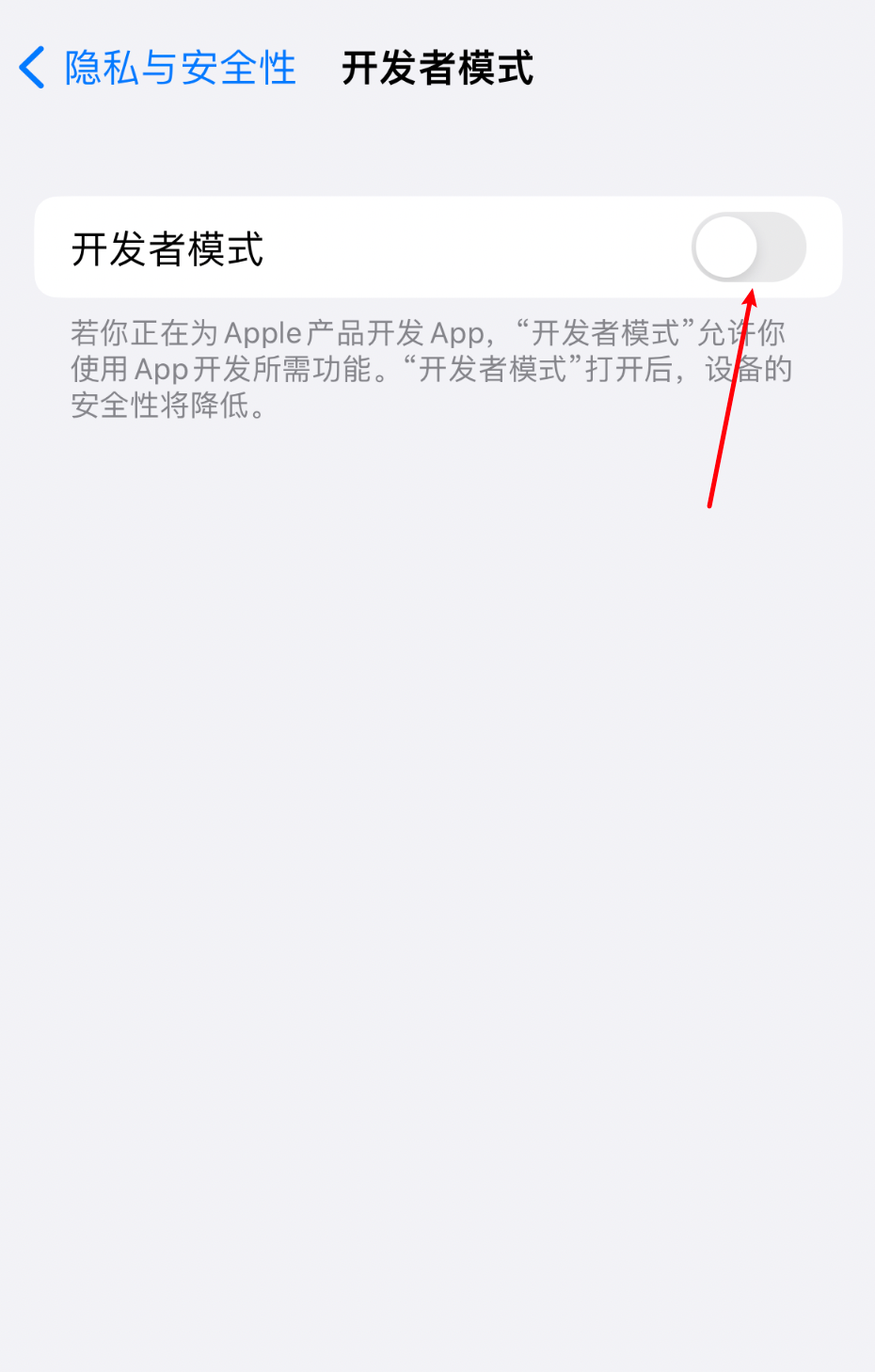
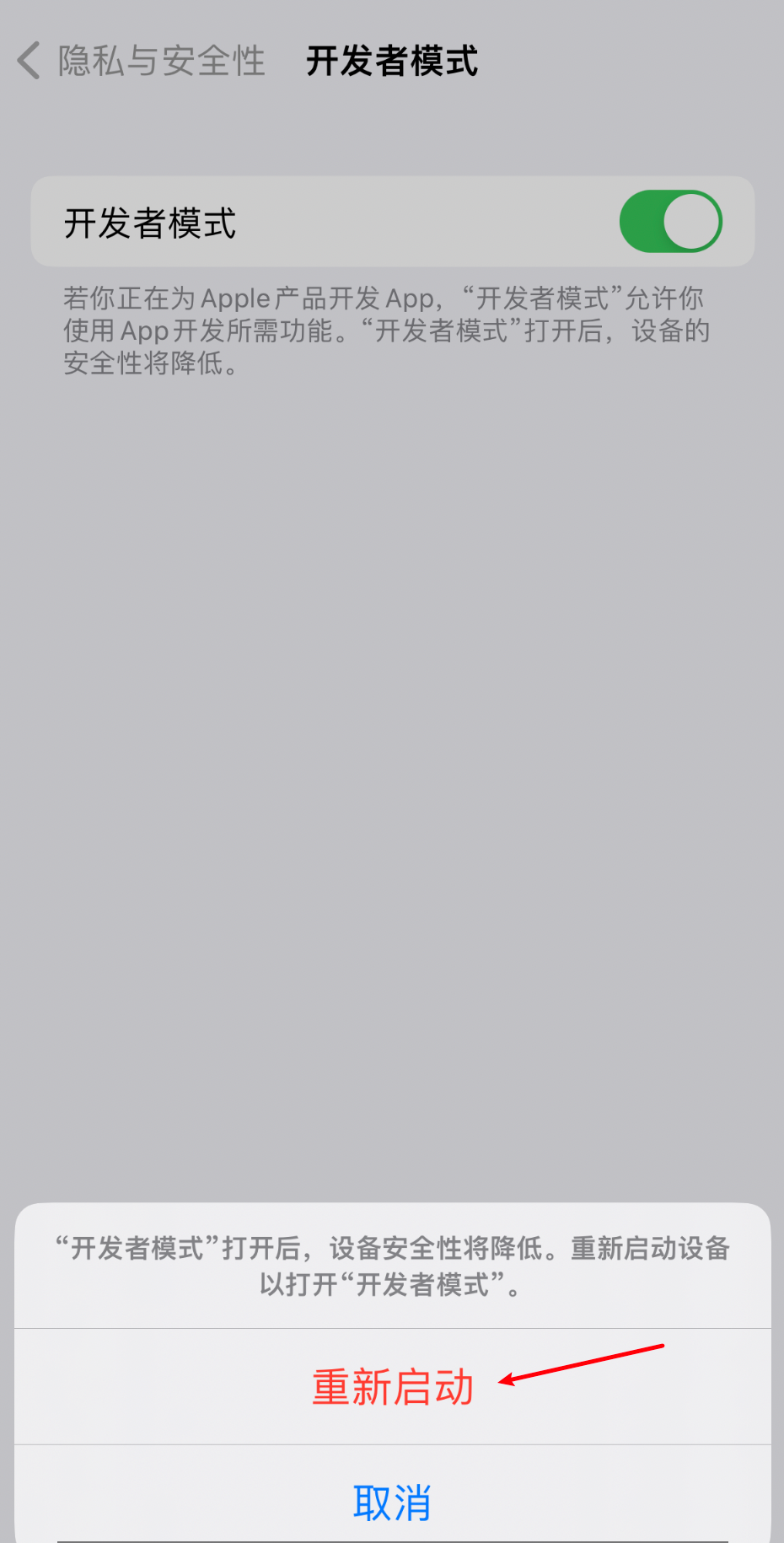
Click privacy and safety, pull bottom, click developer mode, switch on and automatically restart the device
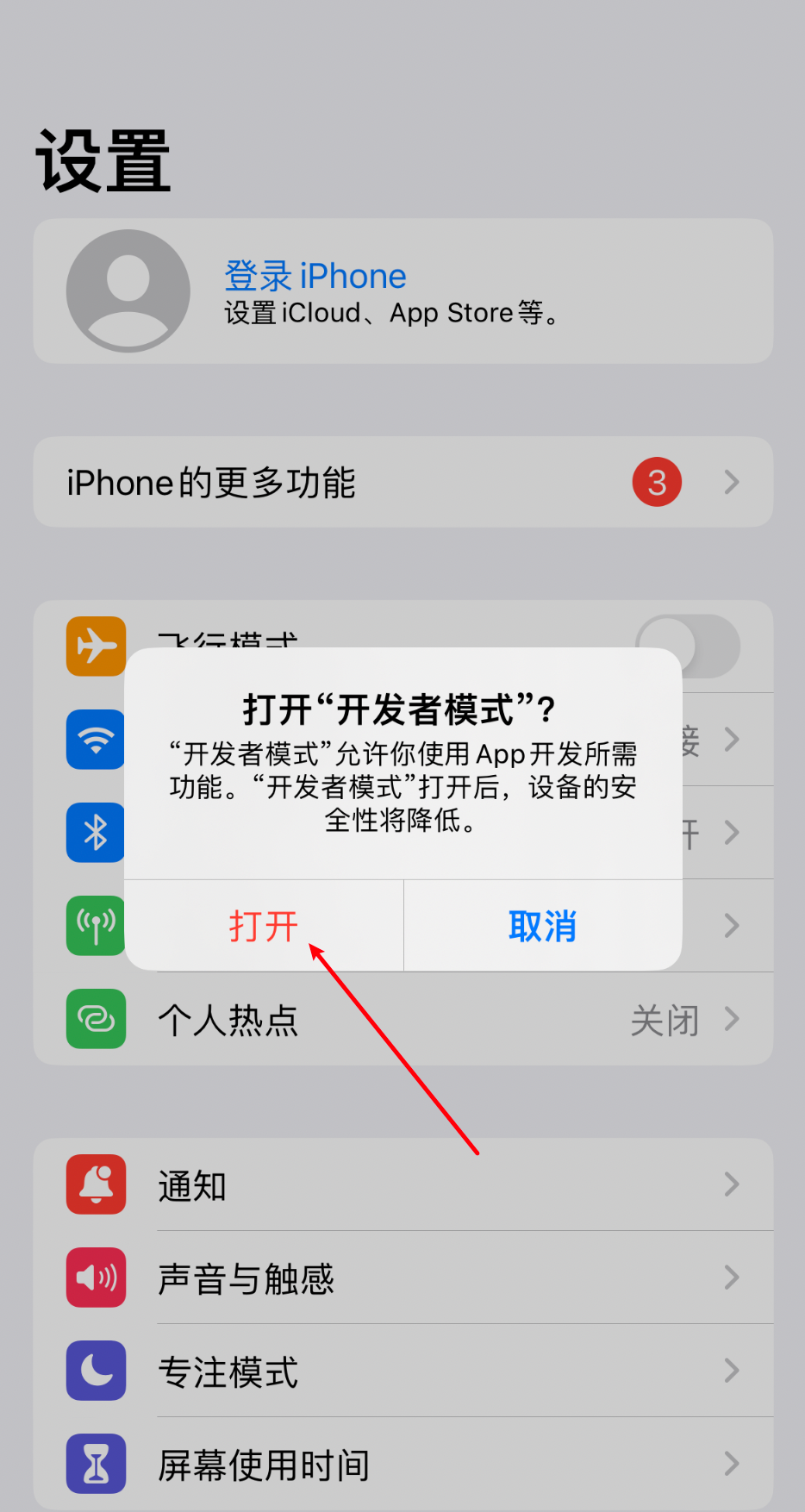
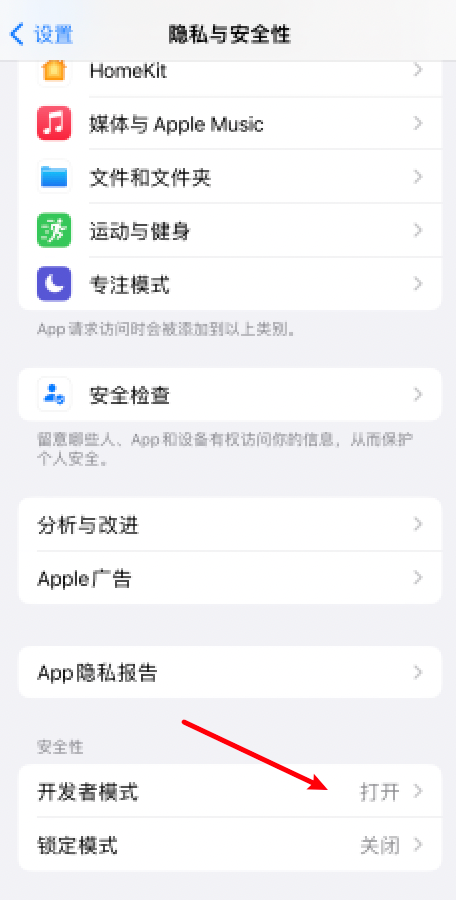
After restarting, a bullet window hint appears, and click to open, at which point the privacy and security menu can see that the developer mode is open.